Voltar para Apps

macOS menu bar app

ScreenHelm

Todas as telas do seu Mac, de um só lugar: brilho para qualquer monitor, todas as resoluções, HiDPI, XDR acima de 100%, organização, telas virtuais e picture in picture.

v1.1.0Atualizado em 14 de novembro de 2026macOSGrátis

macOS 14+ · Universal · 7 MB · ScreenHelm-1.1.0.dmg

ScreenHelm é um app para Mac. Abra esta página no seu Mac para baixá-lo.

Instale em 3 passos

  1. Abra ScreenHelm-1.1.0.dmg e arraste ScreenHelm para a pasta Applications na janela.
  2. Abra ScreenHelm. Na primeira vez, o macOS o bloqueia com “O Item ScreenHelm Não Foi Aberto”: clique em OK.
  3. Vá em Ajustes do Sistema › Privacidade e Segurança, role para baixo e clique em Abrir Mesmo Assim ao lado do aviso sobre ScreenHelm; depois confirme com Abrir Mesmo Assim e sua senha.
Ou, depois do passo 1, execute isto no Terminal em vez dos passos 2 e 3:
xattr -dr com.apple.quarantine "/Applications/ScreenHelm.app"
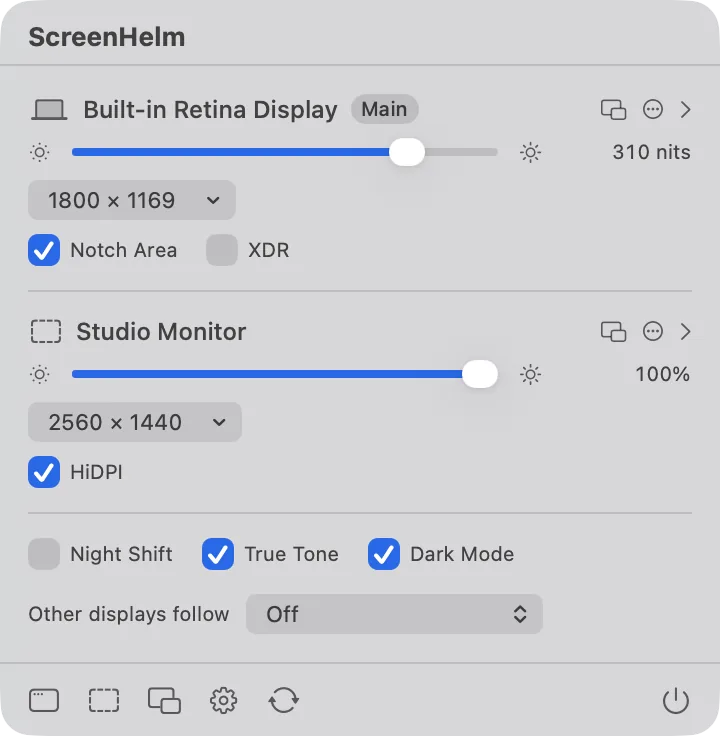
  • The keyboard's brightness and volume keys work for monitors macOS ignores
  • XDR brightness past 100% on a MacBook Pro or Pro Display XDR
  • More sharp HiDPI sizes added to a display's own override file
ScreenHelm: Every display, steered from one placeScreenHelm: Every display, steered from one place

Os detalhes deste app abaixo estão em inglês.

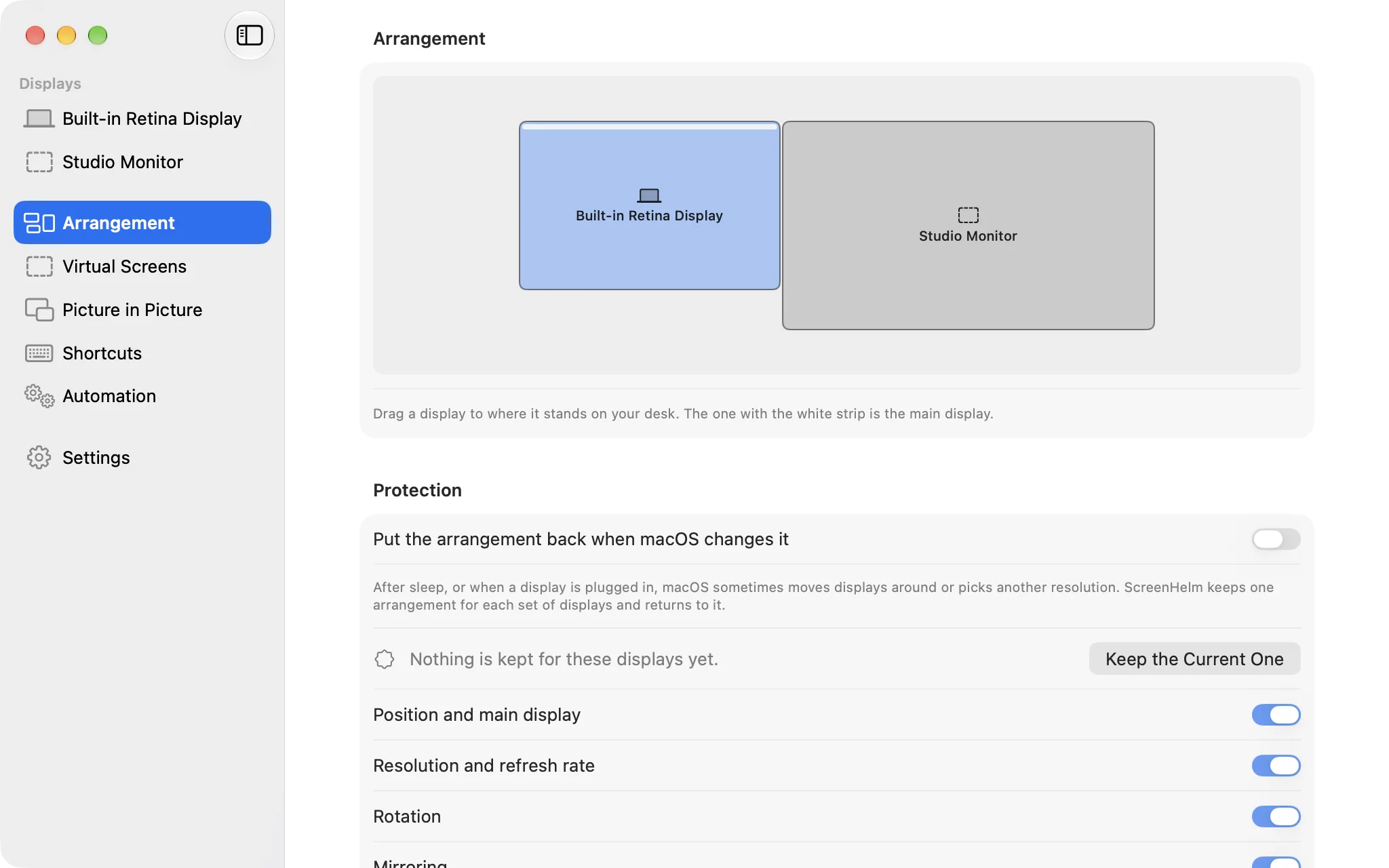
Arrangement

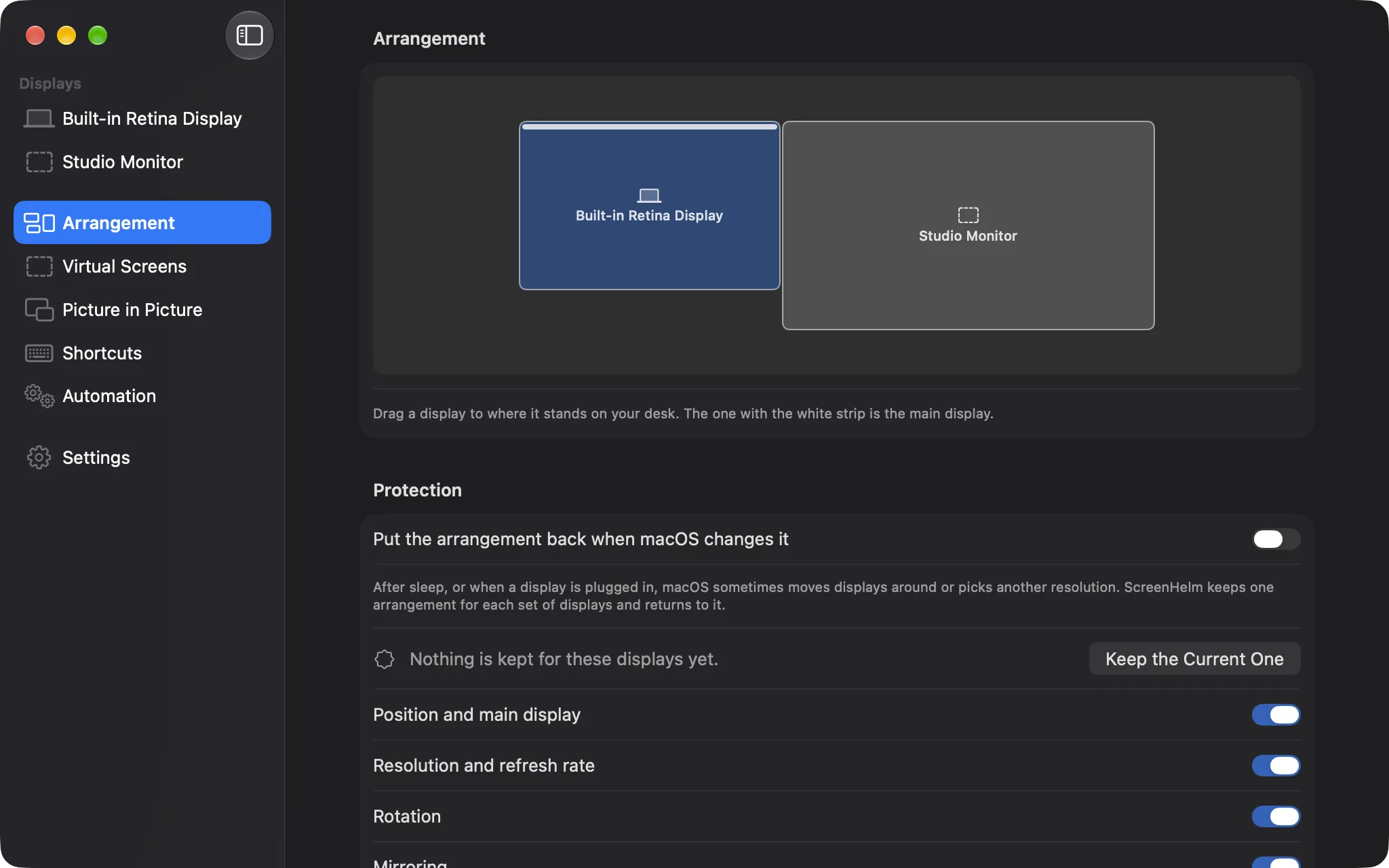
Displays where they stand on your desk

Drag displays into place with guide lines. ScreenHelm keeps one arrangement for each set of displays and puts it back when macOS moves things around after sleep or a cable change. A display can be switched off without pulling its cable.

  • Position, resolution, rotation, mirroring and HDR kept and restored
  • Run a Shortcut, open a file or keep the Mac awake when displays come and go
  • Display groups that keep text the same size when one changes resolution
ScreenHelm: Displays where they stand on your deskScreenHelm: Displays where they stand on your desk

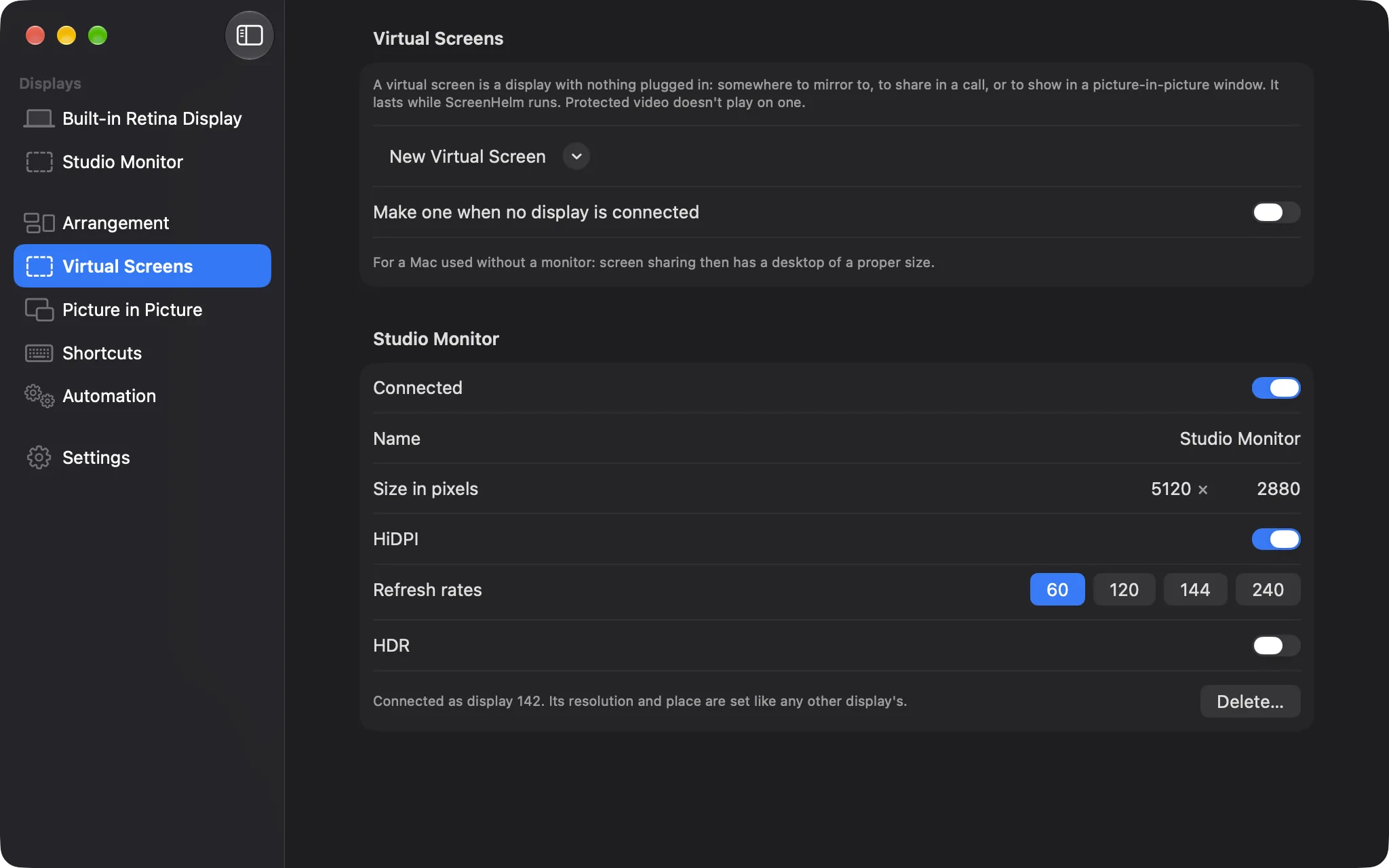
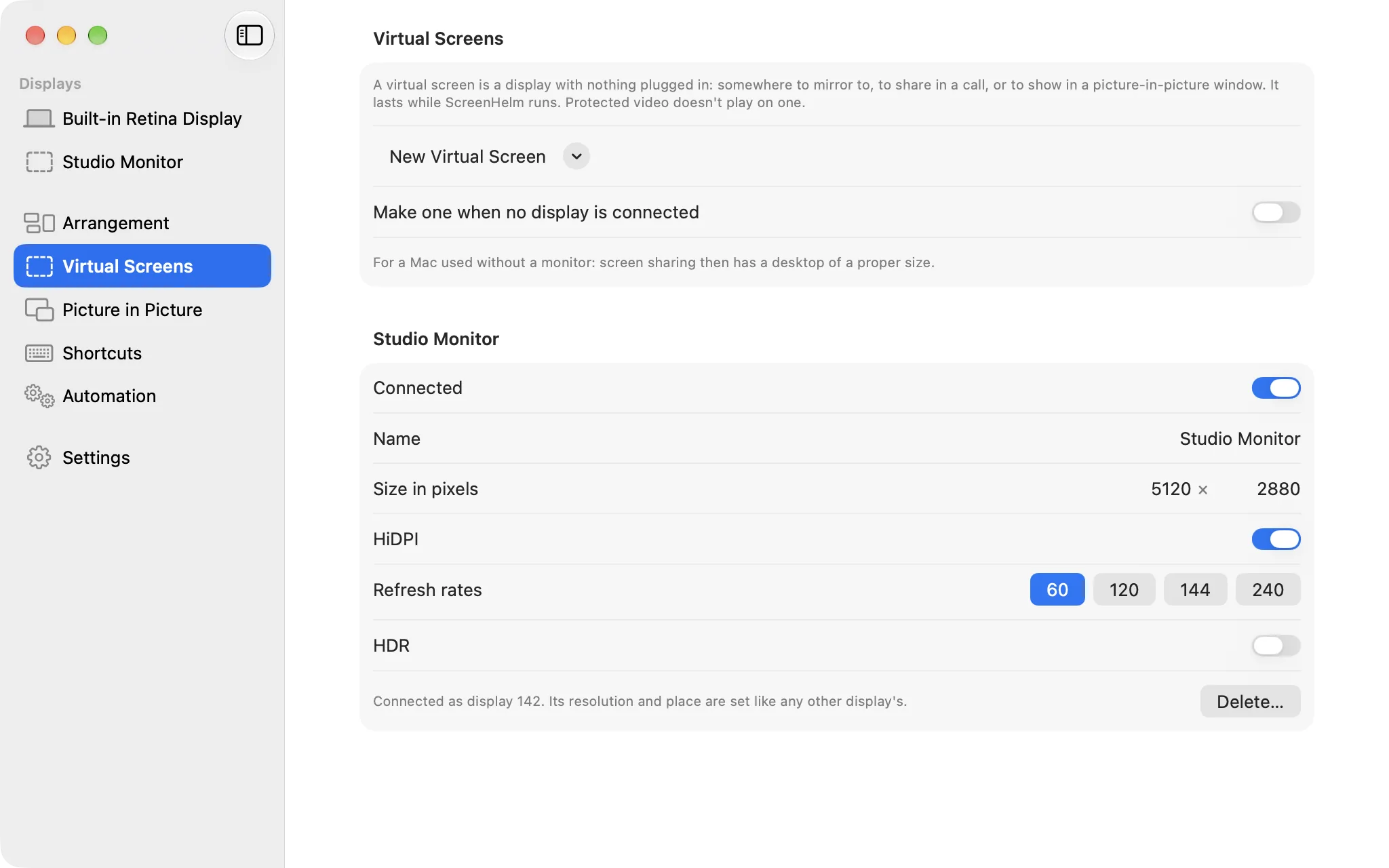
Virtual screens

A display with nothing plugged in

Make a screen from a template or in the shape of a real display: somewhere to mirror to, to share in a call, or to show in a floating window. HiDPI, refresh rates and HDR are yours to choose, and it lasts while ScreenHelm runs.

  • Made when no display is connected, for a Mac used through screen sharing
  • Its resolution and place are set like any other display's
ScreenHelm: A display with nothing plugged inScreenHelm: A display with nothing plugged in

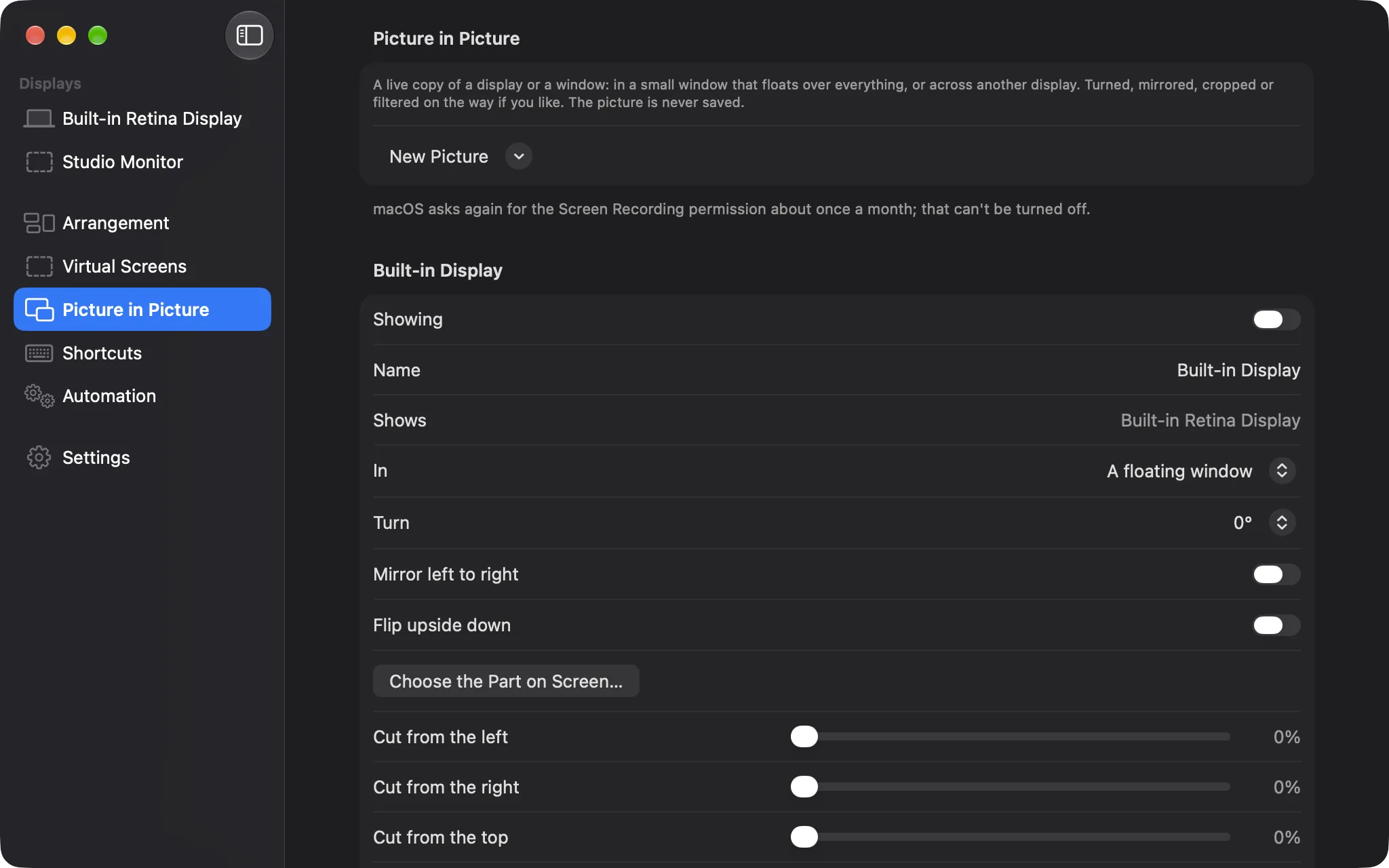
Picture in picture

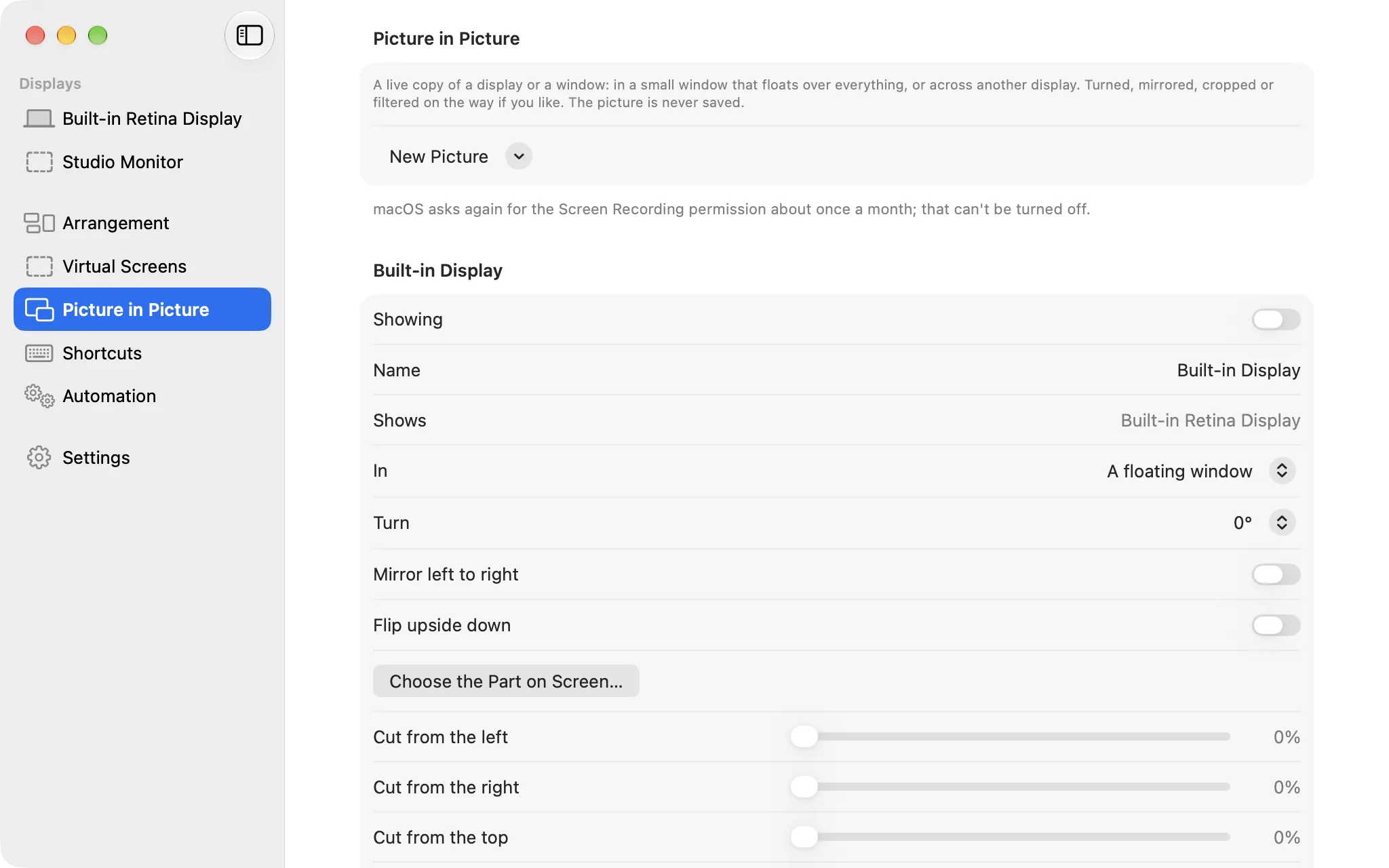
A live copy of any display or window

Show a display or a window in a small window that floats over everything, or across another display. Turn it, mirror it, crop it by dragging over the screen, filter it or grade it with a .cube lookup table. The picture is never written to disk.

  • HDR highlights kept on macOS 15 and later
  • The pointer hidden over the display a picture covers
  • Captured at the size it is shown at, and paused while nobody can see it
ScreenHelm: A live copy of any display or windowScreenHelm: A live copy of any display or window

Also in the box

  • A way back: a change that could leave a display unusable is undone unless kept within 15 seconds, and Control-Option-Command-Escape drops everything
  • Contrast, gamma, color temperature, gains, inverted colors, color steps and dithering
  • Shortcuts you record, actions for the Shortcuts app, and, once turned on, the command line, screenhelm:// links and HTTP on your own Mac
  • Export and import of the settings, its own log in a window, and a diagnostic report without serial numbers
  • No account, no telemetry: the only network request is the update check
  • Light, dark or system appearance, English and Vietnamese, Sparkle updates
  • DDC control of external monitors needs Apple silicon; features that need other hardware are marked Experimental until tried on it

Sobre

ScreenHelm steers every display of your Mac from one place, in the menu bar and in a window with a page for each display. It is free and open source under the MIT license.

Key features

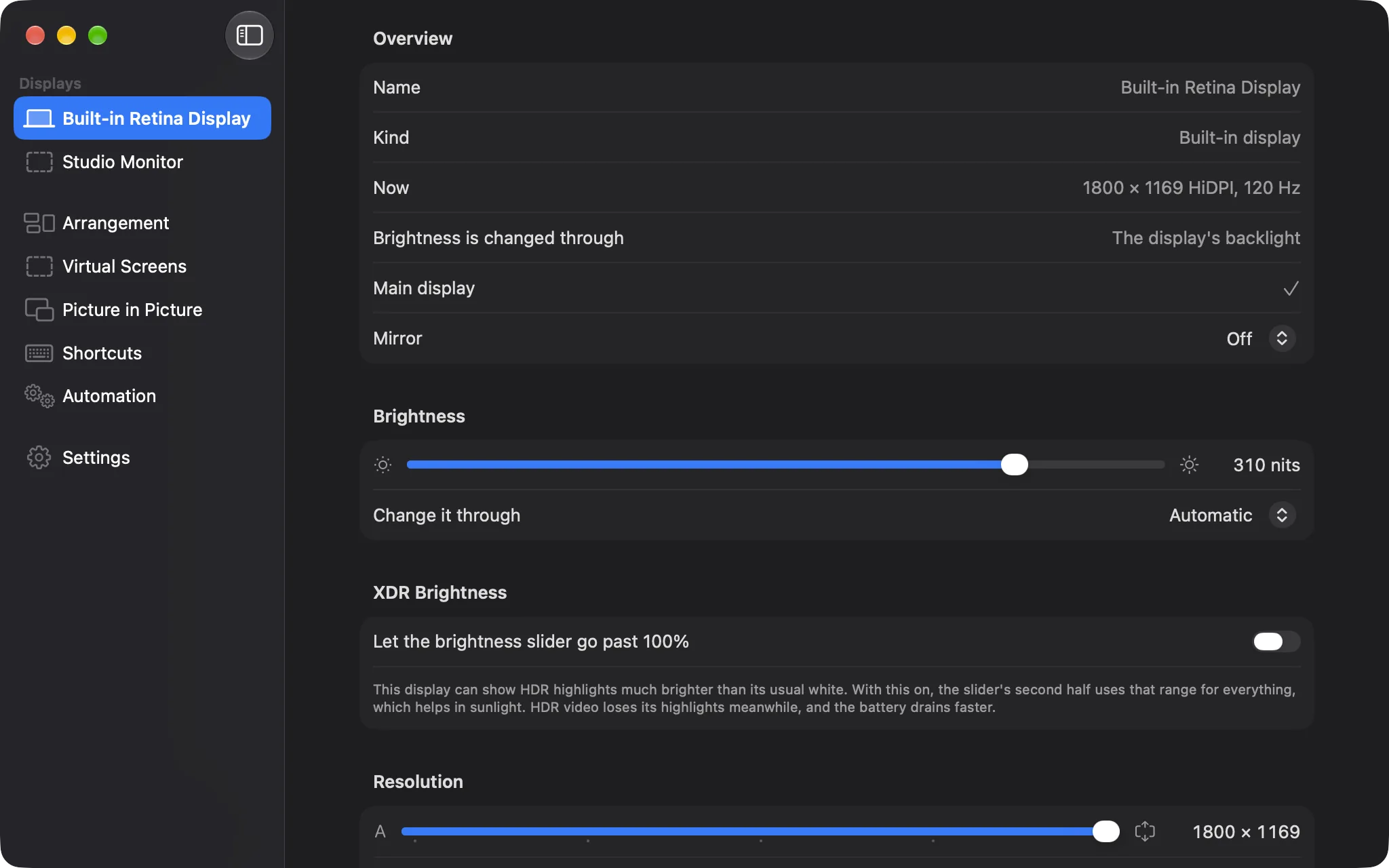
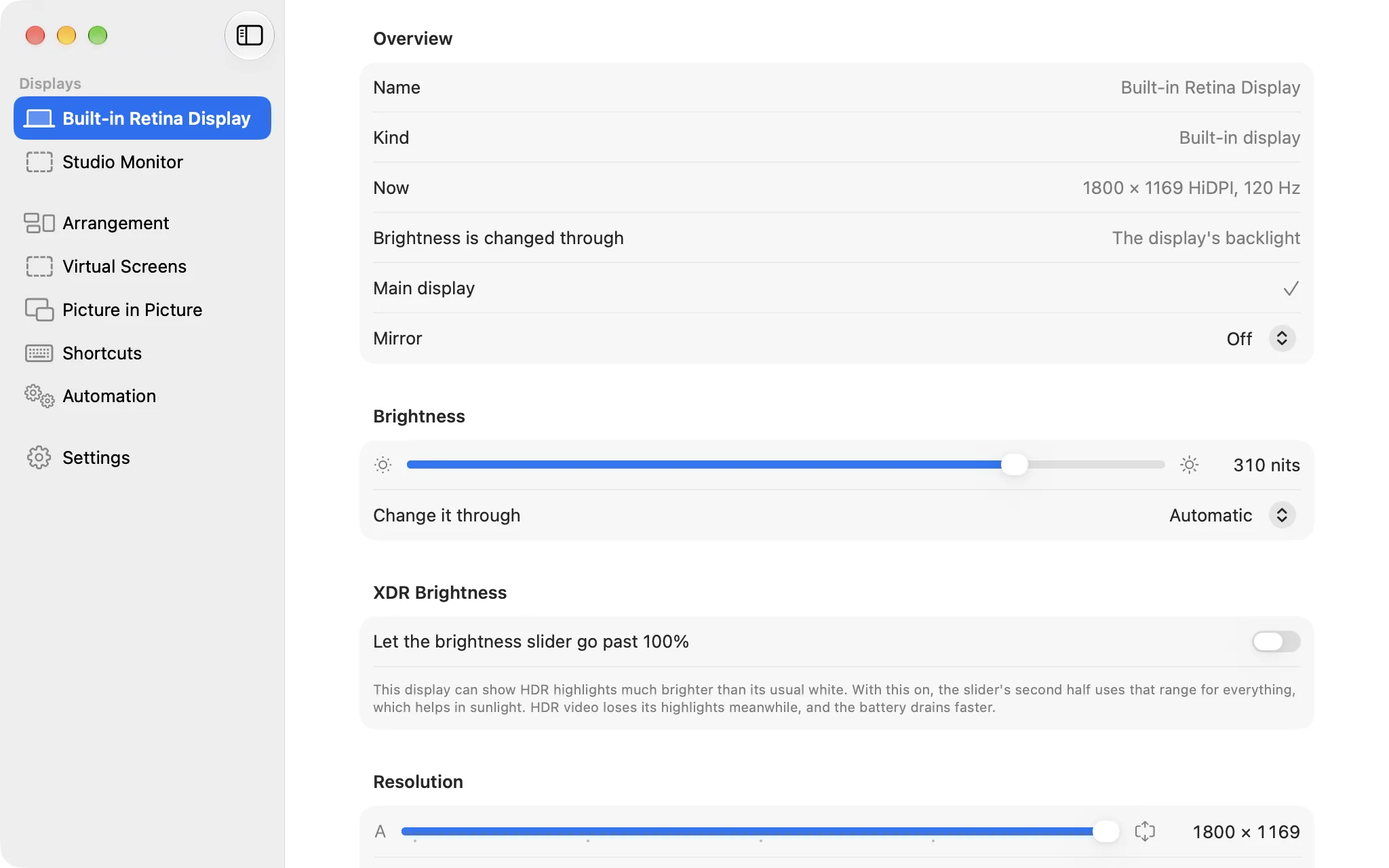
  • Brightness on one slider, whatever is behind it: the backlight of an Apple display, a monitor's own setting over DDC, or software dimming for the rest. The keyboard's brightness and volume keys and an on-screen display work for the monitors macOS ignores
  • XDR brightness past 100% on a MacBook Pro or Pro Display XDR, up to a limit you set, turning itself off on a low battery or a hot Mac
  • Every resolution a display reports, including the ones System Settings hides, with favorites, a slider between larger text and more space, the refresh rate, HiDPI, the area beside the camera housing, rotation, HDR, reference presets and the color profile. More sharp sizes can be added to a display's own override file
  • Picture adjustments: contrast, gamma, color temperature, gains, inverted colors, the number of color steps and dithering
  • Brightness that follows the built-in display, by percentage or by nits, or the light in the room. Night Shift with its strength, True Tone and Dark Mode in the menu bar, and Night Shift and True Tone switched off while a display shows HDR if you like
  • Arrangement: displays dragged into place with guide lines, an arrangement kept for each set of displays and put back when macOS changes it, a display switched off without pulling its cable, the main display and mirroring, Sidecar
  • Virtual screens: a display with nothing plugged in, from a template or in the shape of a real one
  • Picture in picture: a live copy of a display or a window in a floating window or across another display, turned, mirrored, cropped by dragging over the display, filtered, with a .cube lookup table, in HDR on macOS 15 and later, with the pointer hidden over the display it covers
  • Display groups with a rule for when they are active, one slider for all of them, and text kept the same size on their displays when one changes resolution
  • When displays come and go: run a Shortcut, open a file, or keep the Mac awake while a chosen display is connected
  • Shortcuts you record (none is set until you do), actions for the Shortcuts app, and, once you turn them on, the command line, screenhelm:// links and HTTP on your own Mac
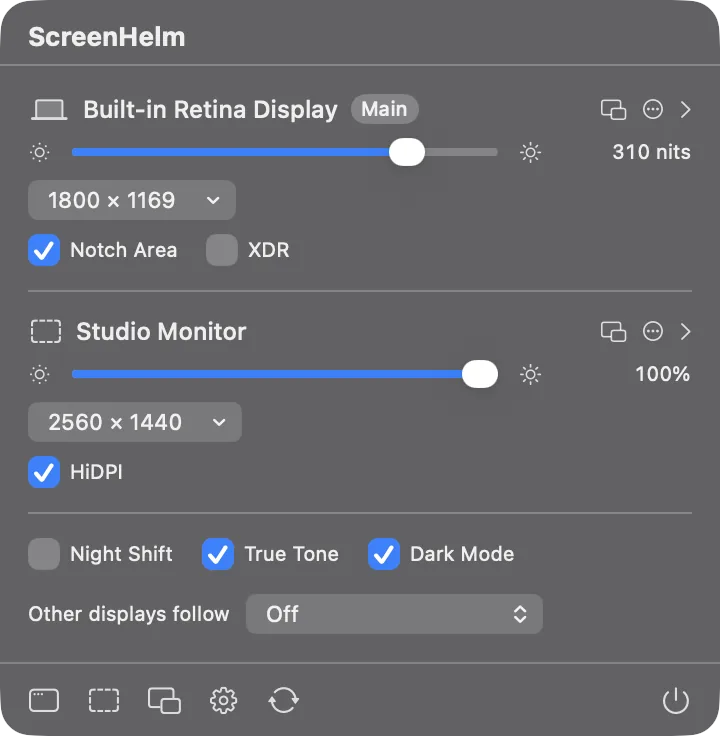
  • A menu bar panel with the everyday controls for each display: brightness, volume, resolution, refresh rate, input, preset, HiDPI, XDR, and a menu to rotate a display, make it the main one, mirror it or switch it off
  • Export and import of the settings, ScreenHelm's own log in a window, and a diagnostic report without serial numbers
  • Light, dark or system appearance, English and Vietnamese, Sparkle updates

A way back

  • A change that could leave a display unusable has to be kept within 15 seconds or it is undone, and a new mode is written for good only once kept
  • Control-Option-Command-Escape drops everything ScreenHelm has applied
  • Opened with Shift held, or after a start that ended while it applied settings, it applies nothing saved
  • Software dimming never comes back darker than 15% by itself, and nothing is ever written to a display's EDID
  • Quitting switches back on every display ScreenHelm switched off, also through a small watcher if the app is killed

Private by design

  • No account, no telemetry, no analytics. The only network request is the update check to updates.dangkhoabach.vn, which can be turned off
  • A display's serial number stays hidden until you ask to see it, and out of the logs and the diagnostic report
  • A picture in picture is drawn straight from the screen and never written to disk
  • Display commands from the command line and from links are off until you turn them on; the HTTP server listens on this Mac only and every request needs a token kept in your login Keychain

Requirements and limits

  • macOS 14 Sonoma or later, Apple Silicon or Intel. Controlling a monitor over DDC needs Apple Silicon; docks, adapters and TVs often don't pass it on, and DisplayLink never does
  • Changing displays needs no permission. Accessibility is asked for the keyboard's keys, Screen Recording for picture in picture, and an administrator's password each time the file for more resolutions is installed or removed
  • Features that need hardware other than a MacBook Pro's own display are marked Experimental until they have run on it
  • Software dimming and the picture adjustments last while ScreenHelm runs. Another app that changes the same color table, such as BetterDisplay, MonitorControl, Lunar or f.lux, and ScreenHelm undo each other: use one at a time

Good to know

  • The app is signed with an Apple Development certificate and not notarized: open it the first time from System Settings › Privacy & Security › Open Anyway

Histórico de versões

Apenas a versão mais recente está disponível para download. As versões anteriores são listadas apenas para referência.

  1. v1.1.0Mais recente

    A new icon, a fuller About window with the release date and links, and a sidebar in groups (Displays, Tools, Control) with Settings pinned at the bottom. The menu bar panel now shrinks with its content, and Show ScreenHelm always opens the main window.

  2. v1.0.0

    First release

    • A page for each display and a menu bar panel with the everyday controls, in English and Vietnamese, light and dark
    • Brightness for every display: the backlight, DDC, or software dimming, with the keyboard's keys and an on-screen display, and XDR past 100%
    • Every resolution, HiDPI and more sharp sizes, refresh rate, rotation, HDR, presets, color profile and picture adjustments
    • Arrangement kept and put back, displays switched off without unplugging, virtual screens, picture in picture and pictures across another display
    • Display groups, shortcuts, the Shortcuts app, the command line, links and HTTP, all off until you turn them on
    • Every risky change is undone unless kept within 15 seconds, and Control-Option-Command-Escape drops everything