Apps に戻る

macOS app

MediaCatch

yt-dlp のためのネイティブ macOS フロントエンド。フォーマットを選び、ダウンロードをキューに入れ、検索できるライブラリを残し、チャンネルの新着も見逃しません。

v2.1.22026年10月28日 更新macOS無料

macOS 14+ · Universal · 69 MB · dkb-downloader_2.1.2_universal.dmg

MediaCatch は Mac 用アプリです。ダウンロードするには Mac でこのページを開いてください。

3ステップでインストール

  1. dkb-downloader_2.1.2_universal.dmg を開き、ウインドウ内の Applications フォルダへ MediaCatch をドラッグします。
  2. MediaCatch を開きます。初回は macOS が「“MediaCatch”は開いていません」と表示するので、「完了」をクリックします。
  3. 「システム設定」›「プライバシーとセキュリティ」で下にスクロールし、MediaCatch についてのメッセージの横にある「このまま開く」をクリックしてから、「このまま開く」とパスワードで確定します。
または、ステップ1のあと、ステップ2と3の代わりに「ターミナル」で次を実行します:
xattr -dr com.apple.quarantine "/Applications/MediaCatch.app"
  • Any of the hundreds of sites yt-dlp supports
  • Audio-only at several bitrates, or images for photo posts
  • Extraction warnings shown on screen, never hidden
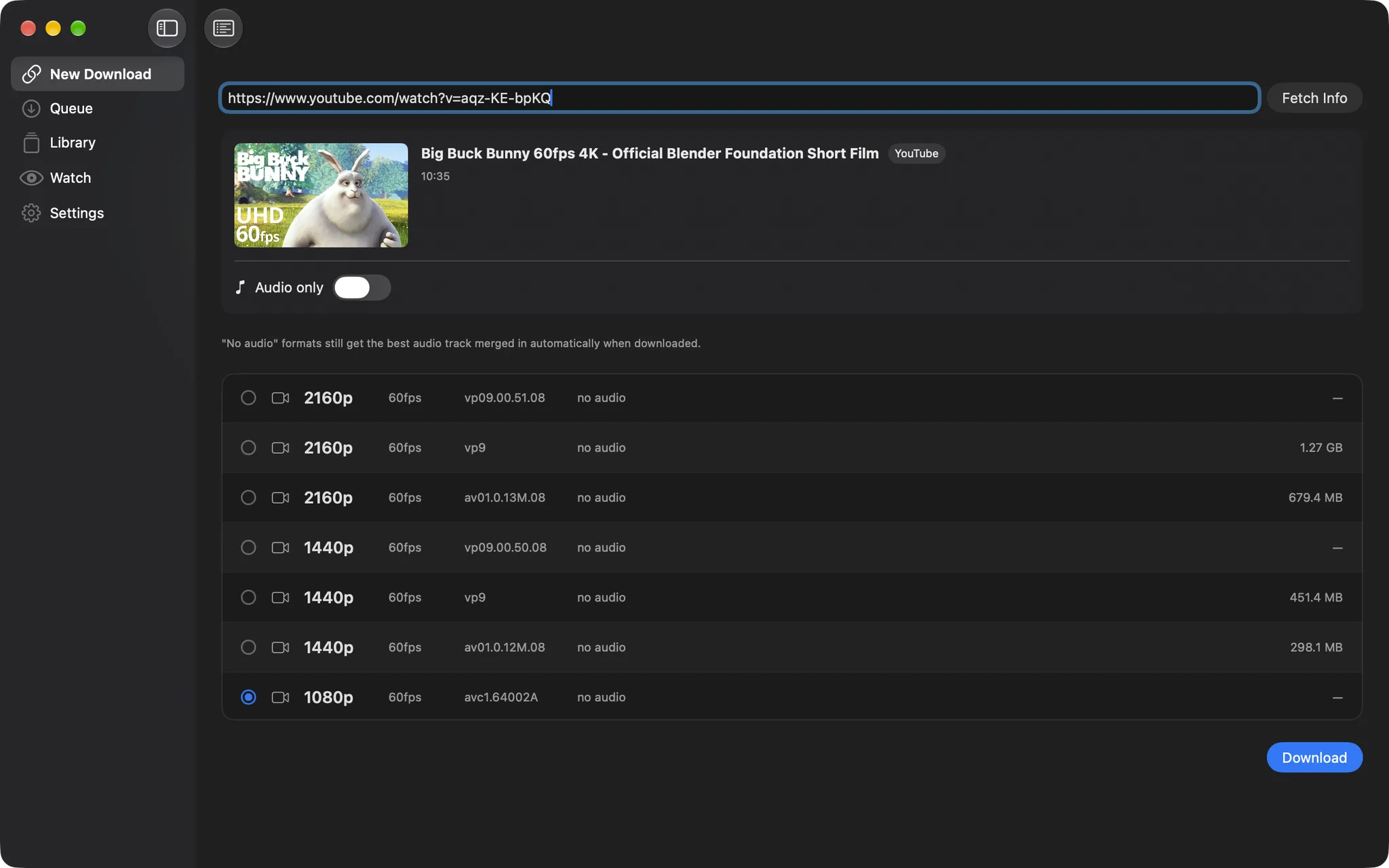
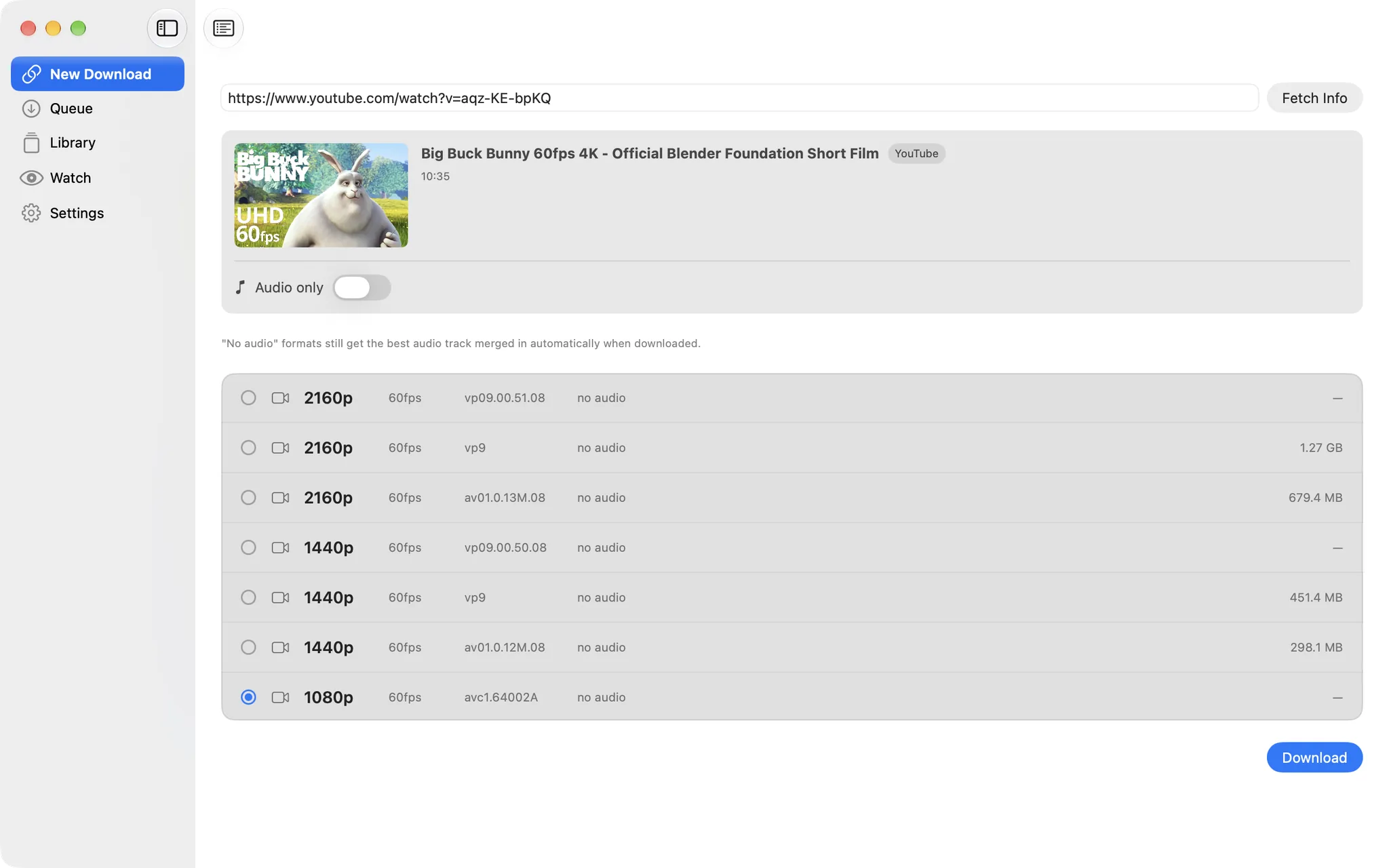
MediaCatch: Every format, full audioMediaCatch: Every format, full audio

以下のアプリの詳細は英語です。

Queue

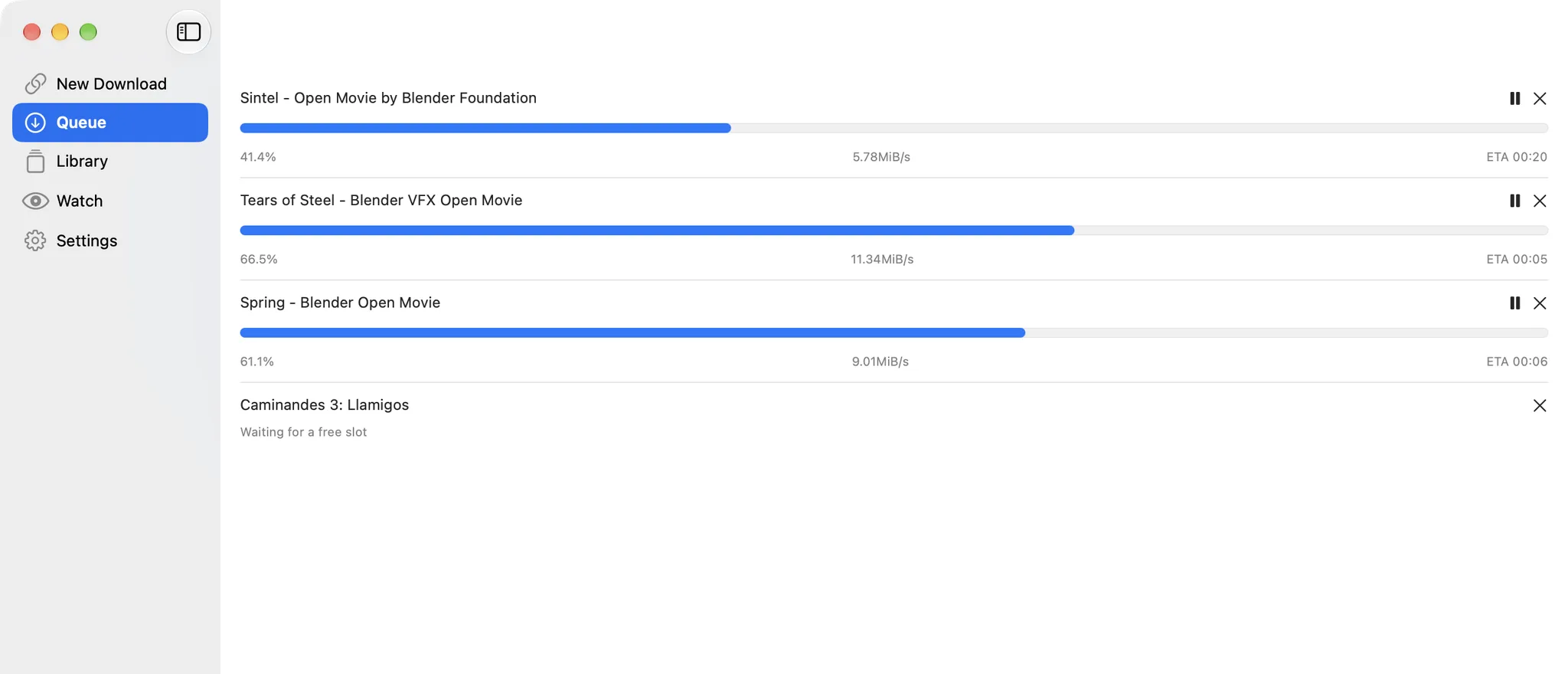
Three at a time, the rest wait

Downloads run concurrently up to the limit you set; the rest wait for a free slot and start on their own. Pause, cancel or cap the speed at 1, 2, 5 or 10 MB/s without touching the others.

  • Concurrent and speed limits in Settings
  • Progress, speed and ETA per item
  • Finished files land only when complete, no leftovers
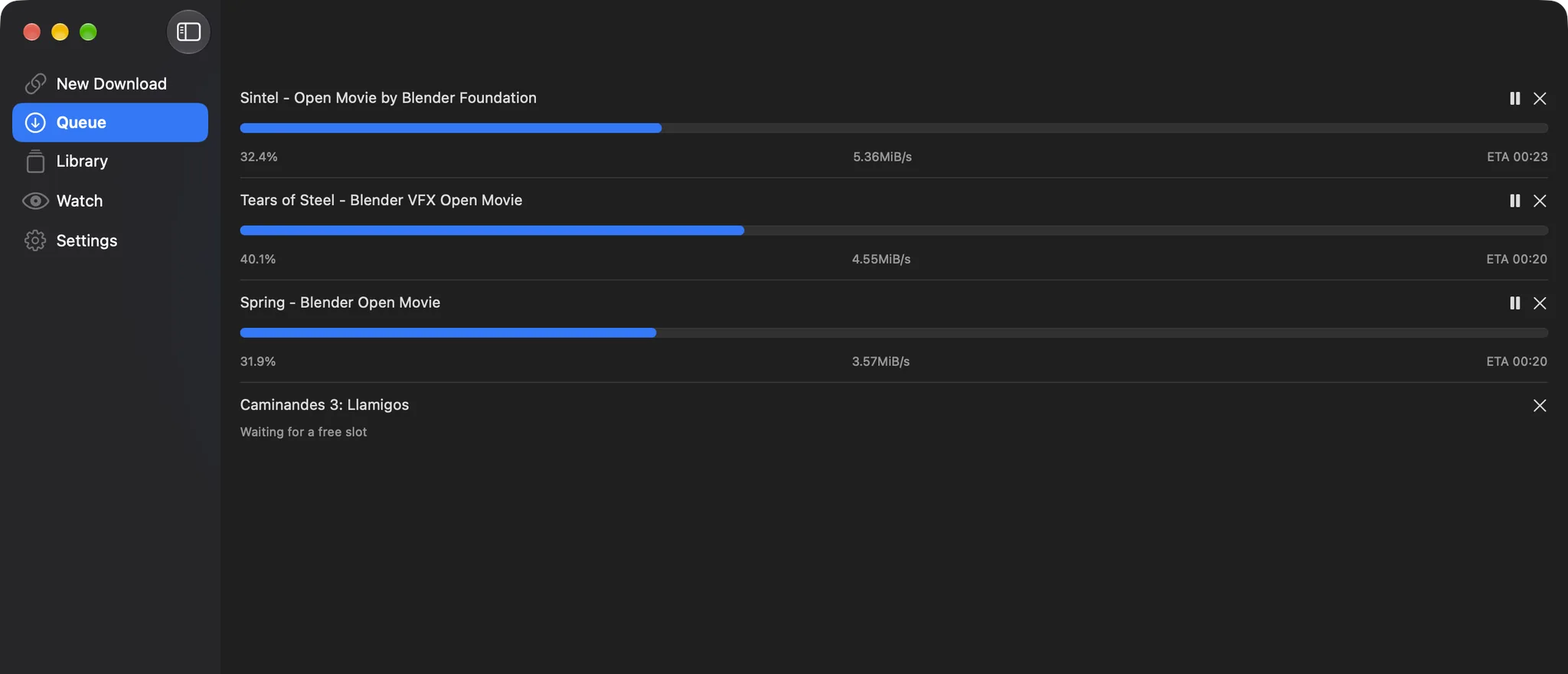
MediaCatch: Three at a time, the rest waitMediaCatch: Three at a time, the rest wait

Batch mode

Paste a list, or a playlist

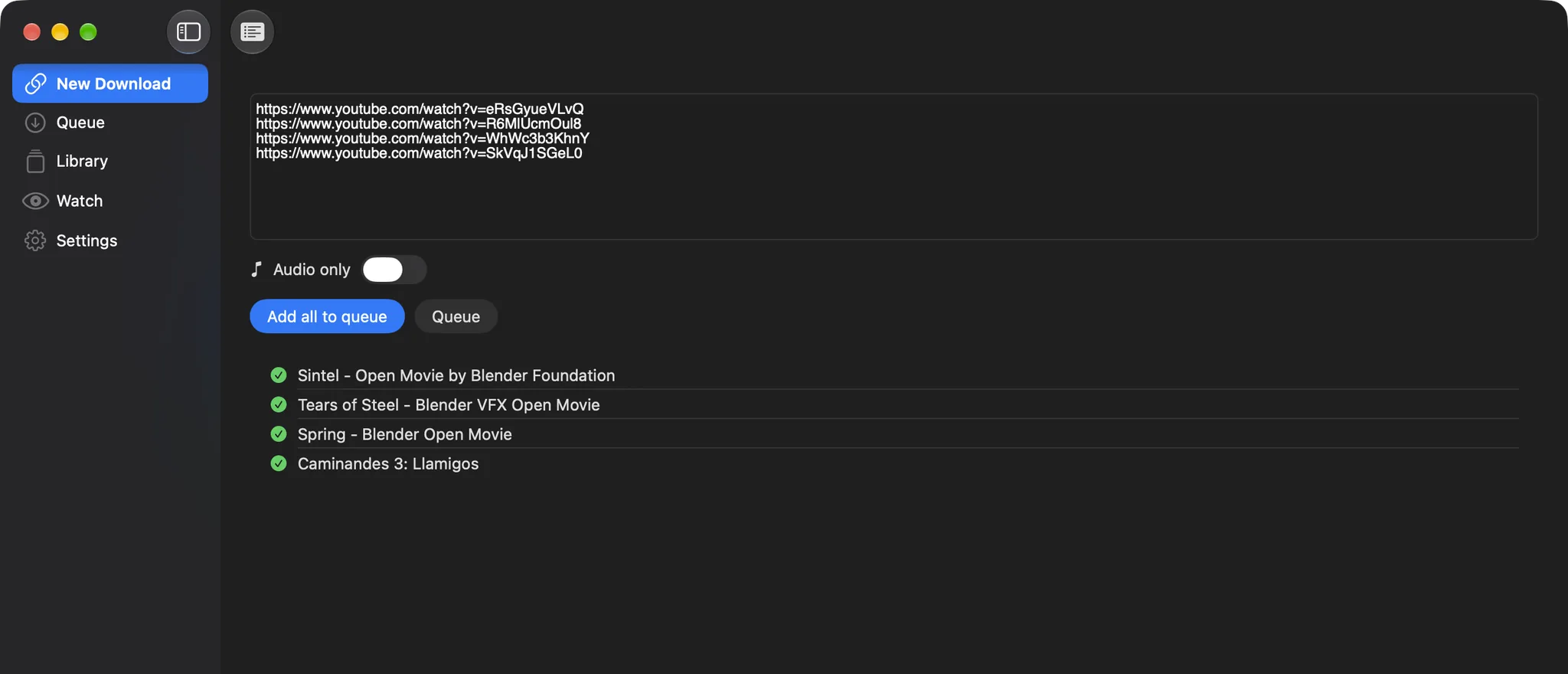
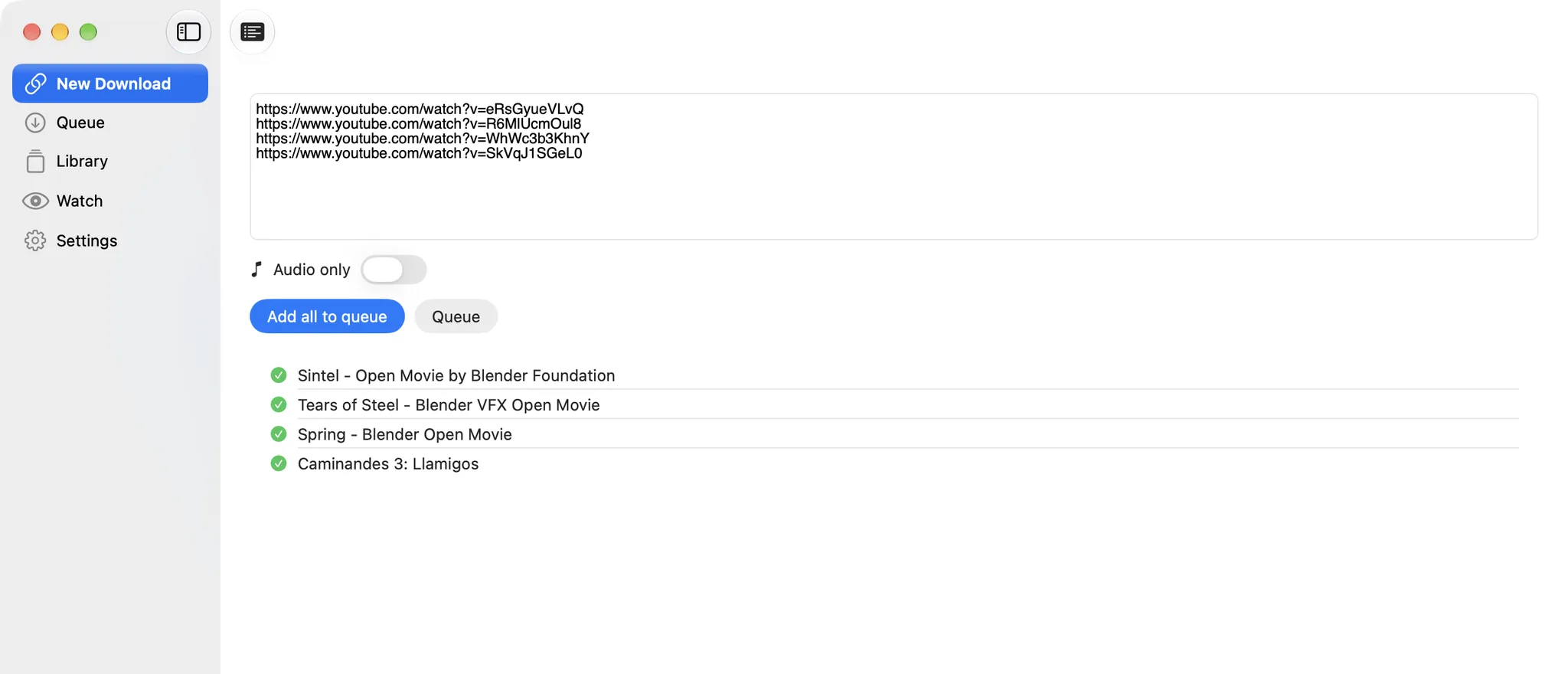
Switch to batch mode and paste links one per line. A playlist link expands into its videos for review, and info is fetched four links at a time before everything goes to the queue.

  • Playlists expand into individual videos
  • Four fetches in parallel
  • Audio-only for the whole batch with one toggle
MediaCatch: Paste a list, or a playlistMediaCatch: Paste a list, or a playlist

Library

Everything you fetched, one click away

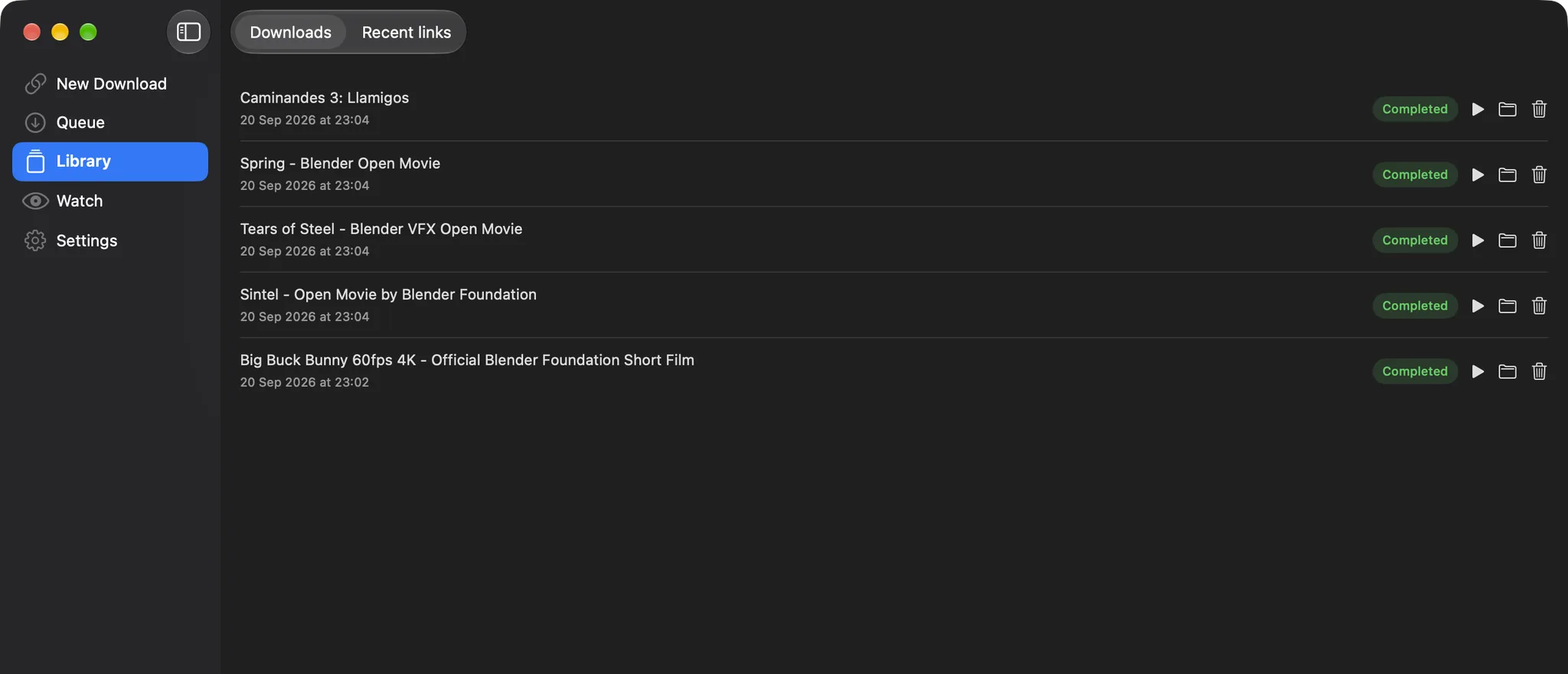
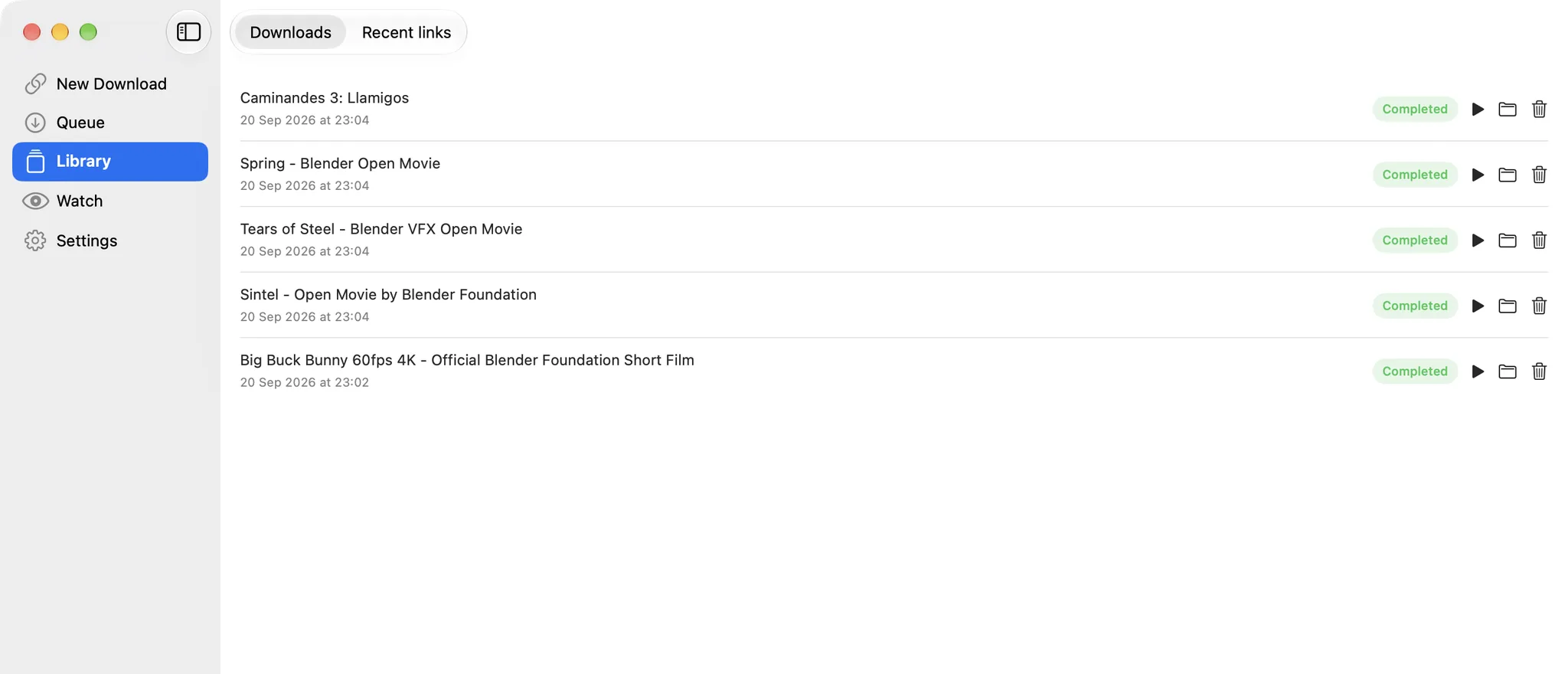
Completed downloads with Play and Reveal in Finder, failed ones with Retry. The Recent links tab keeps every link you have ever fetched, searchable, ready to fetch again.

  • Play, reveal or delete from the list
  • Retry failed and cancelled downloads
  • Recent links with search and clear-all
MediaCatch: Everything you fetched, one click awayMediaCatch: Everything you fetched, one click away

Watch

New uploads, downloaded for you

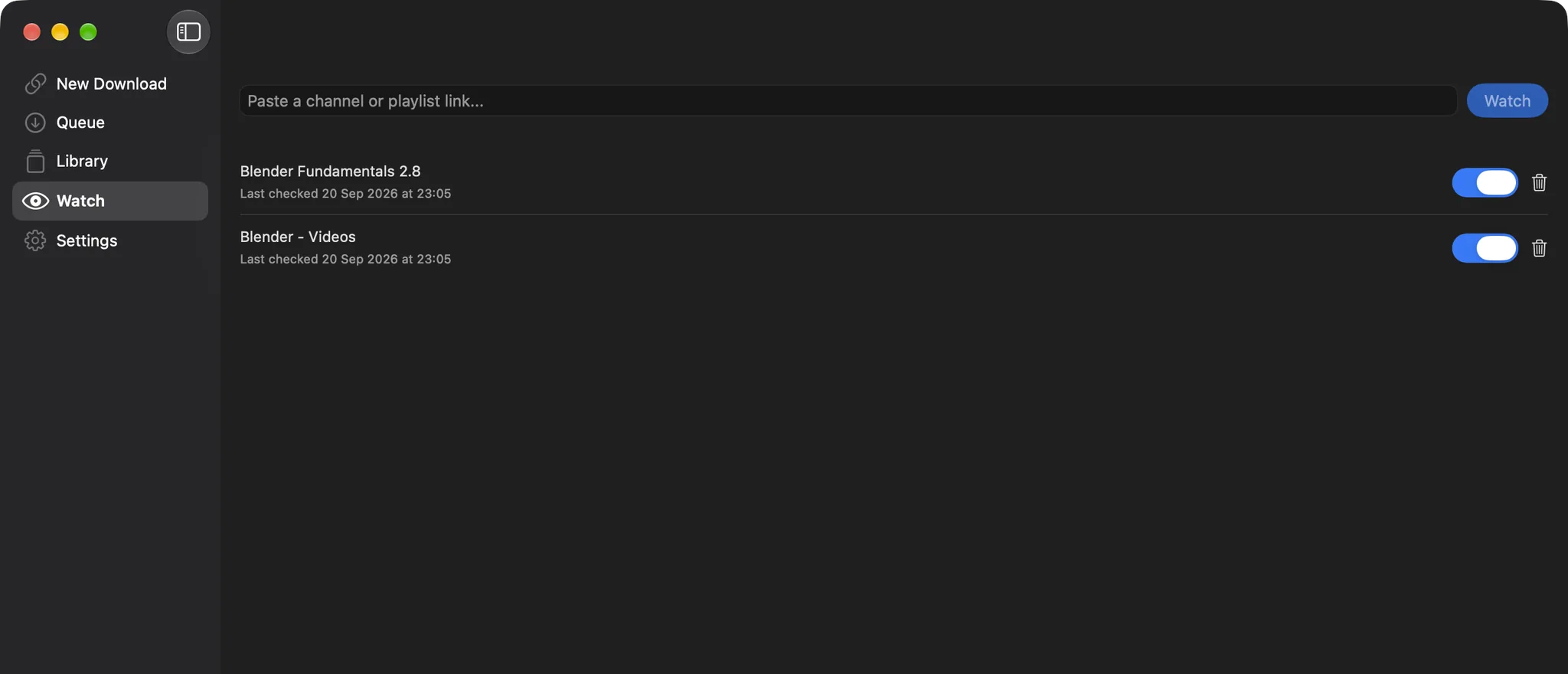
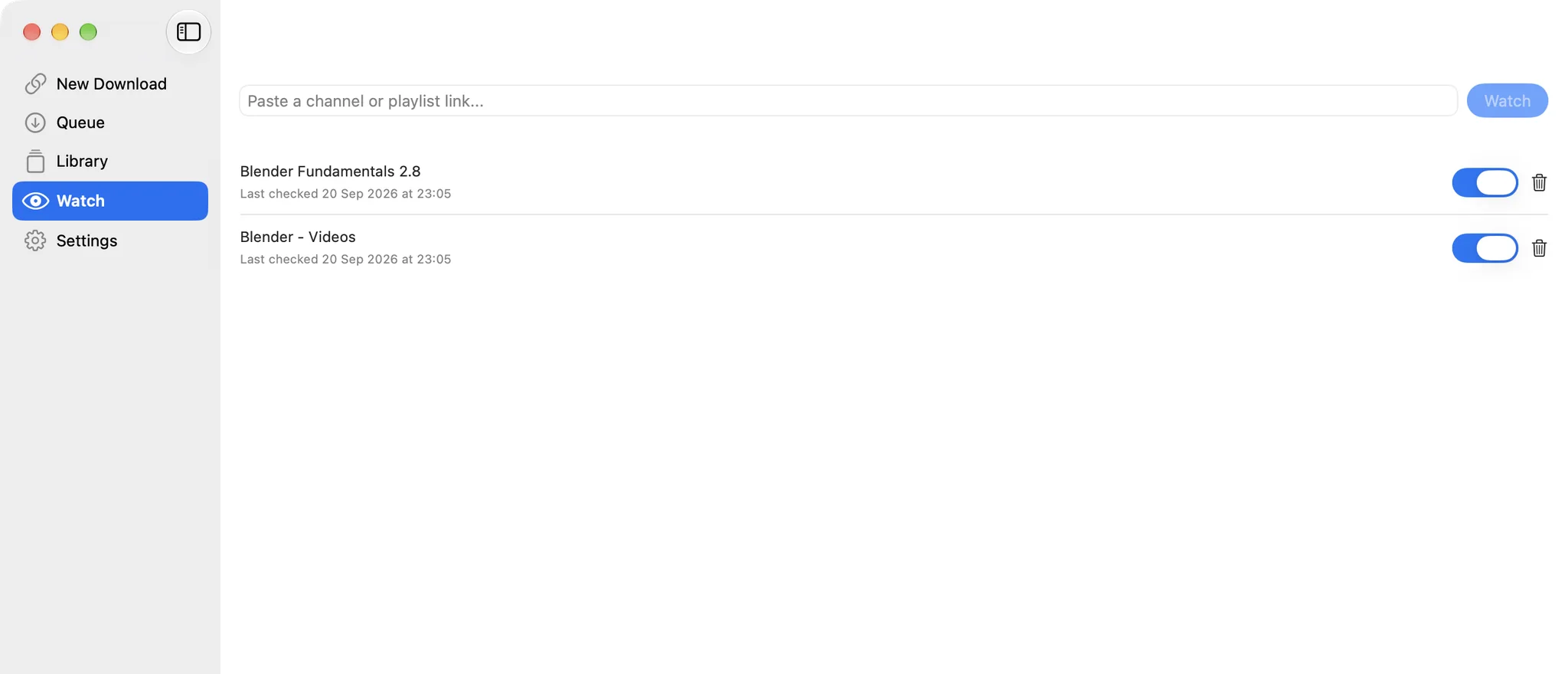
Watch a channel or playlist and MediaCatch checks it on a schedule, adding new videos to the queue as they appear. Pause a watch with one switch.

  • Channels and playlists
  • Last-checked time per watch
  • Runs quietly in the background
MediaCatch: New uploads, downloaded for youMediaCatch: New uploads, downloaded for you

Settings

Tuned in one place

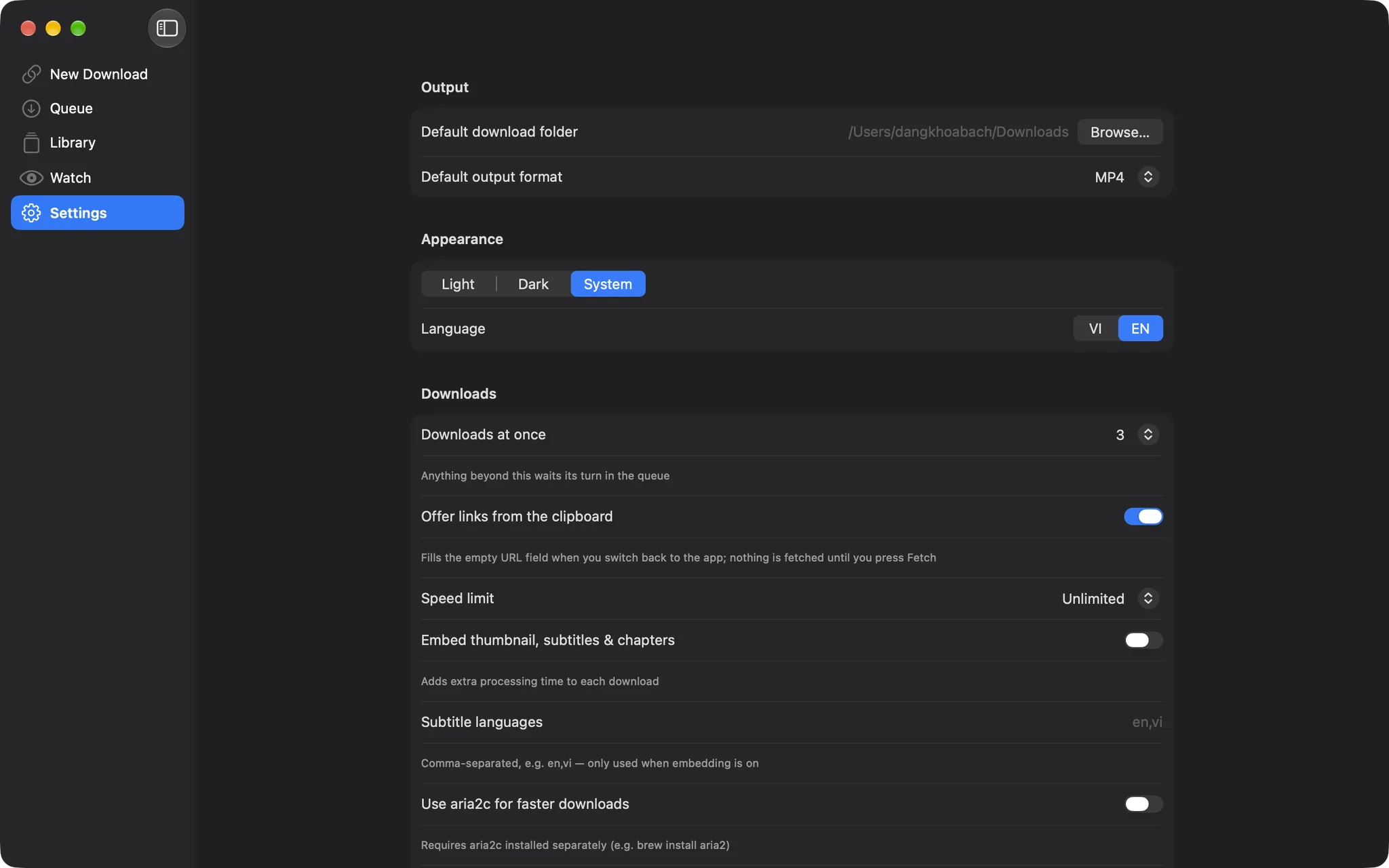
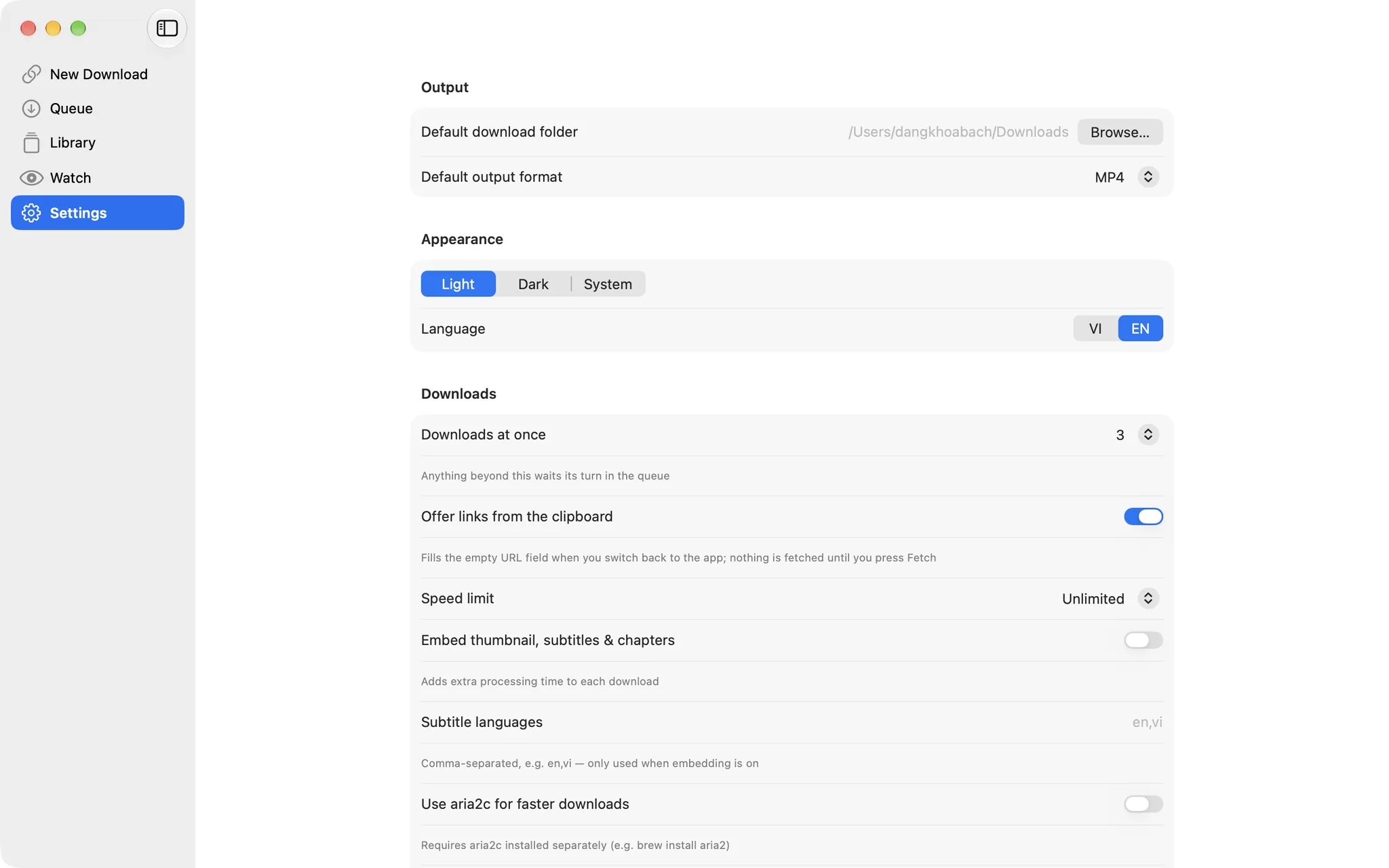
Output folder and format, downloads at once, speed limit, clipboard link offers, metadata embedding with subtitle languages, aria2c and browser cookies, all on one page.

  • Cookies from a browser or a cookies.txt file
  • Embed thumbnail, subtitles and chapters
  • Light, dark or system appearance; English and Vietnamese
MediaCatch: Tuned in one placeMediaCatch: Tuned in one place

Also in the box

  • Split by chapter: one extra file per chapter
  • Link from clipboard fills the URL field when you switch to the app
  • yt-dlp updates itself in the background, checksum-verified
  • Native notifications when a download finishes
  • Sparkle auto-updates
  • Powered by yt-dlp and ffmpeg

概要

MediaCatch is a native macOS front end for yt-dlp. Paste a link, pick a format, and a queue fetches the video, audio or playlist into a library you can search. It can also watch a channel or playlist and fetch new uploads as they appear. It is free and open source under the MIT license.

Key features

  • Every format yt-dlp reports, with resolution, frame rate, codec and size, or audio only; a video-only format gets the best audio track merged in
  • A queue that runs several downloads at once, with progress, speed and time left, pause, resume and cancel, and an optional speed limit
  • Batch links one per line, or a playlist link that expands into its videos so you can review them first
  • A library of finished downloads with Play and Reveal in Finder, failed ones with Retry, and every link you have fetched, searchable and ready to fetch again
  • Watch a channel or playlist on a schedule and download new uploads automatically
  • Optional subtitles in the languages you choose, an embedded thumbnail and chapters, or one file per chapter
  • Cookies from your browser or a cookies.txt file, for videos your own account is allowed to see
  • Links picked up from the clipboard, notifications and a menu bar count of active downloads
  • yt-dlp updates itself in the background, independently of the app's own releases
  • English and Vietnamese, light and dark appearance, automatic updates

Use it responsibly

  • MediaCatch downloads only what yt-dlp can fetch from a public URL, and it does not break DRM or any other copy protection
  • Download only content you own, content that is licensed for download, or content you have permission to save, and follow the terms of the site you use

Good to know

  • yt-dlp (public domain) and ffmpeg (GPL v3) are bundled with the app; their licenses and the offer of ffmpeg's source are in the repository
  • MediaCatch was called DKB Downloader up to version 2.1.1. It is the same app, so updating keeps your library, watched channels and settings, and the app in Applications keeps its old file name
  • MediaCatch is not affiliated with Replay Media Catcher or any other product with a similar name

バージョン履歴

ダウンロードできるのは最新バージョンのみです。以前のバージョンは参考として掲載しています。

  1. v2.1.2最新

    Changed

    • DKB Downloader is now MediaCatch, and it is open source under the MIT license: github.com/dangkhoabach/MediaCatch
    • Your library, watched channels and settings stay as they are. After this update the app in Applications keeps its old file name, DKB Downloader
  2. v2.1.1

    Fixed

    • Downloads that failed at the very end with "Couldn't move the finished file to the output folder". This happened when macOS blocked the app from writing to your download folder (usually after clicking Don't Allow on the Downloads-folder prompt), or when the folder was on a drive that's no longer connected
    • The Home screen and Settings now warn you before a download starts, with a button that opens System Settings › Privacy & Security › Files and Folders to allow access again, or one to pick another folder. The warning clears by itself once access is restored
    • The download folder is recreated if it was renamed or deleted
    • When a move does fail, Library shows the actual reason (hover over the red line for the full text) and the downloaded file is no longer deleted
    • Automatic update checks never actually ran: the daily check only started once you had clicked Check for Updates yourself. It now starts at launch

    Changed

    • You decide whether the app checks for updates automatically. The first launch after updating asks once; change your answer any time in the new Settings › Updates section, which also has a Check Now button
  3. v2.1.0

    A big update: more control over downloads, better authentication options, and a long list of fixes.

    What's new

    • Download speed limit: cap downloads at 1, 2, 5 or 10 MB/s in Settings, or leave them unlimited
    • Concurrent download limit: choose how many downloads run at once (default 3). The rest wait in Queue as "Waiting" and start automatically when a slot frees up
    • Split by chapter: for videos with chapters, a toggle on the download screen saves one extra file per chapter alongside the full video
    • Import cookies.txt: use an exported cookies file instead of reading a browser's cookie store
    • Subtitle languages: choose which subtitle languages are embedded when metadata embedding is on (default en, vi)
    • Retry from Library: failed and cancelled downloads now have a Retry button
    • Link from clipboard: copy a link and switch to the app, and the URL field is filled for you. Nothing is fetched until you press Fetch; can be turned off in Settings
    • yt-dlp keeps itself current: the download engine checks for a newer yt-dlp on launch and updates in the background. Settings shows the installed version with a "Check for update" button
    • Extraction warnings: if yt-dlp reports a problem while fetching video info (for example, some formats may be missing), the warning is shown on screen instead of being hidden

    Improved

    • Batch mode fetches video info four links at a time instead of one by one
    • A fetch that stalls can be cancelled, and gives a clear message after 90 seconds instead of spinning forever
    • The menu bar and all remaining screens follow the in-app language setting (VI/EN)
    • The bundled yt-dlp and ffmpeg are checksum-verified before every release

    Fixed

    • A finished download was reported as an error when a file with the same name already existed in the output folder. It now gets a " (1)", " (2)"… suffix
    • Download used whatever was in the URL field at the time, not the video whose formats were shown, if the field had been edited after fetching
    • Text starting with a dash was passed to the downloader as an option instead of a URL
    • Pressing Fetch again while a fetch was running could hide the spinner and re-enable the button while the new fetch was still in progress
    • A download that could not start stayed stuck in Queue with Cancel and Pause doing nothing

    Reminder: the first launch of a fresh install needs right-click → Open. Existing installs update automatically through Check for Updates.

  4. v2.0.3

    Improved

    • The yt-dlp auto-updater verifies the downloaded binary's checksum before installing it, and installs safely so an interruption cannot leave a partial or corrupt install
    • Deleting a download or a history entry, clearing history and removing a watched channel now ask for confirmation first
    • VoiceOver labels added to icon-only buttons across the app
    • More robust progress-percentage parsing in the Queue view
    • macOS Hardened Runtime enabled for improved security

    Fixed

    • After closing the main window, the app icon lingered as an invisible "ghost" window in Stage Manager
    • Downloads stuck showing "Downloading" forever (after a crash or force-quit mid-download) are now marked as failed so you can retry them
    • Quitting the app now waits for active yt-dlp/ffmpeg downloads to stop cleanly instead of leaving orphaned background processes
  5. v2.0.2

    Fixed

    • Switching sidebar tabs (Home, Queue, Library, Watch) no longer resets what you were doing: a fetch in progress, the batch list, Library's search text and Watch's typed channel URL all stay put
    • Library and Home toolbar buttons showed up while a different tab was active
    • Dark/Light → System appearance did not reliably switch back to match macOS
    • The updater sometimes reported a new version even when you were already on the latest one
以前のバージョンを 8 件表示
  1. v2.0.1

    Rebuilt from the ground up as a fully native macOS app (Swift/SwiftUI), replacing the previous Tauri-based version.

    Changed

    • Same download experience as before: format selection, batch downloads, queue, library and history, watch-folder auto-download
    • Runs natively, with lower memory and CPU usage
    • Automatic updates now use Sparkle; this is the first release on the new mechanism
  2. v1.2.6

    Fixed

    • The app icon appeared oversized on older macOS versions because the artwork lacked safe-area padding
  3. v1.2.5

    What's new

    • "Recent links" tab in Library: every link you have fetched or downloaded is saved there, with a one-click button to fetch it again. Search and clear-all included.

    Changed

    • The Batch mode switch is back above the URL field, and the audio-merge note now shows above the quality list
  4. v1.1.4

    Fixed

    • Audio-only downloads with thumbnail or subtitle embedding enabled could fail after the file was already downloaded, because of an incompatible audio container (for example webm). They are now converted to a compatible format automatically when embedding is on.
  5. v1.1.3

    Improved

    • Downloads are processed in a temporary folder and only the finished file is moved to your output folder, so leftover subtitle or thumbnail files no longer clutter it
    • A note now explains that "no audio" quality options still get the best audio track merged in automatically

    Fixed

    • The Play button in Library did not open the downloaded file
  6. v1.1.2

    Fixed

    • Switching to another tab and back cleared the video info you had just fetched

    Changed

    • The Batch mode switch moved below the URL field for a cleaner layout
  7. v1.1.1

    What's new

    • Paste a playlist link and it is expanded into a list of videos you can review before adding to the queue
    • New app icon

    Fixed

    • Downloading a single video that also belonged to a playlist could download the whole playlist instead
  8. v1.0.0

    Initial release.

    What's new

    • Download from YouTube, Facebook, Instagram, TikTok and Twitter/X at any quality from 144p up to 4K+, with full original audio
    • Quality picker for both video and audio-only tracks
    • Batch mode: paste multiple links at once
    • Watch channels and playlists and download new uploads automatically
    • Optional metadata embedding: thumbnail, subtitles, chapters
    • Browser cookie import for private or age-restricted content
    • Faster multi-connection downloads via aria2c
    • Native macOS look, light/dark/system theme, English and Vietnamese
    • Automatic updates for both the app and the yt-dlp download engine