Apps に戻る

macOS app · offline by design

DKB Secret

A local vault for API keys, passwords, SSH keys and .env files, sealed by the Secure Enclave and unlocked with Touch ID.

v1.0.02026年9月21日 更新macOS無料

  • Sealed by the Secure Enclave, unlocked with Touch ID
  • No account, no server, no sync, no network entitlement
  • Capture-proof windows, concealed clipboard
DKB Secret: Your keys never leave this MacDKB Secret: Your keys never leave this Mac

Reveal and copy

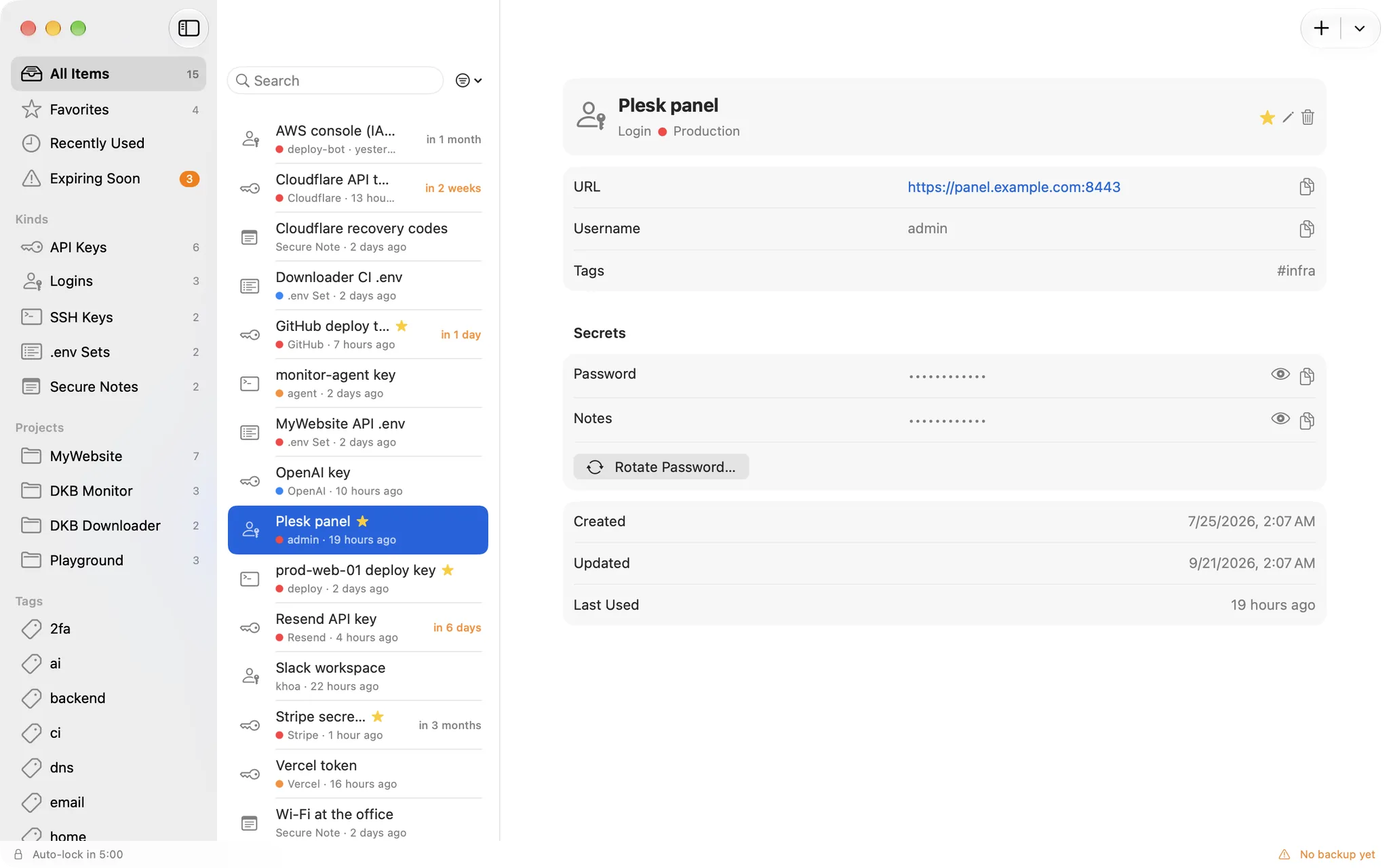
Touch ID stands between you and every value

Values stay masked until you ask. Reveal or copy goes through the Secure Enclave, which itself demands Touch ID or your login password, so the app cannot skip the check even if it wanted to.

  • Revealed values hide again after 30 seconds
  • Clipboard cleared after 45 seconds, marked concealed for clipboard managers
  • One Touch ID can cover reveals for a short window, or none at all
DKB Secret: Touch ID stands between you and every valueDKB Secret: Touch ID stands between you and every value

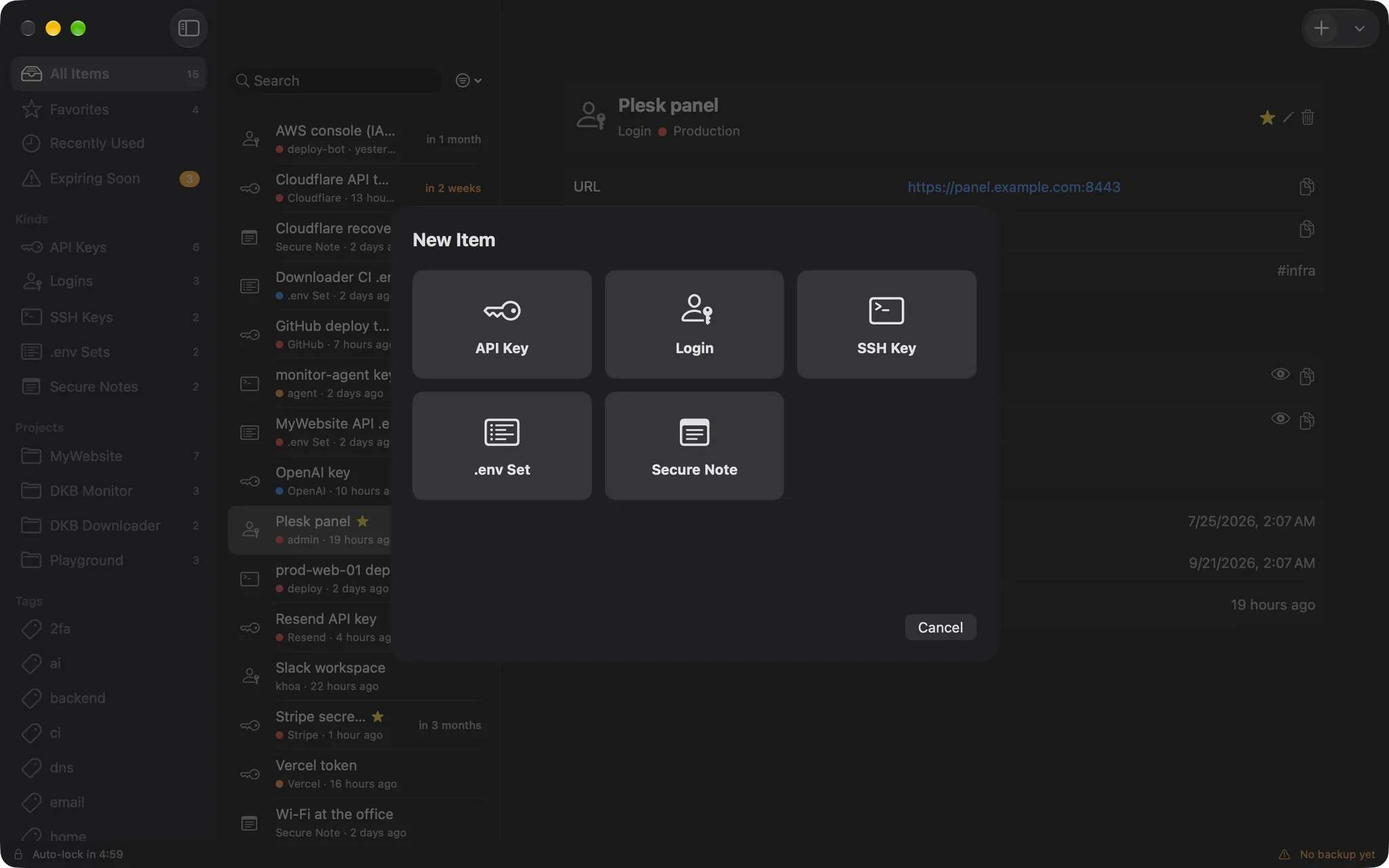
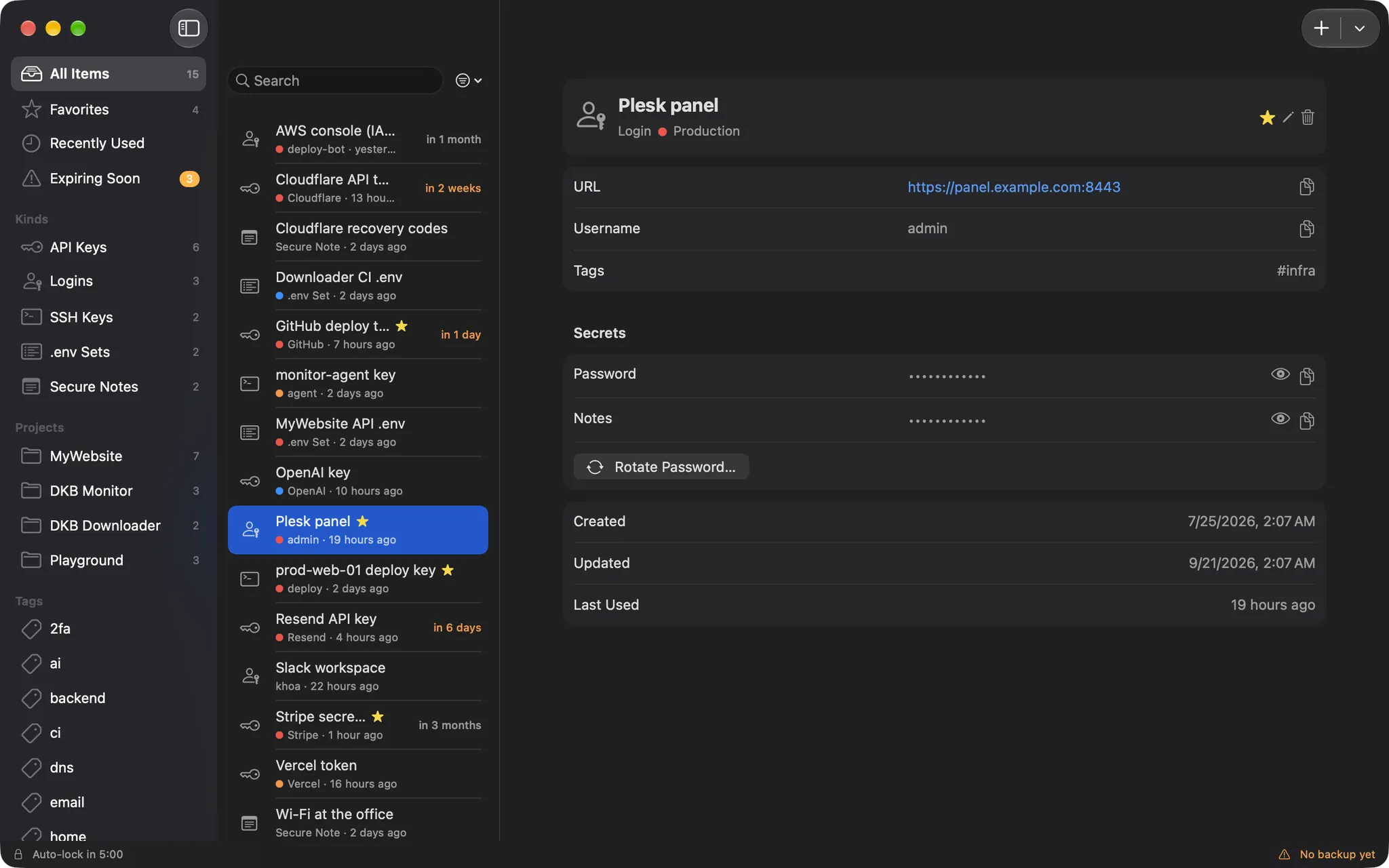
Five kinds

Keys, logins, SSH, .env and notes

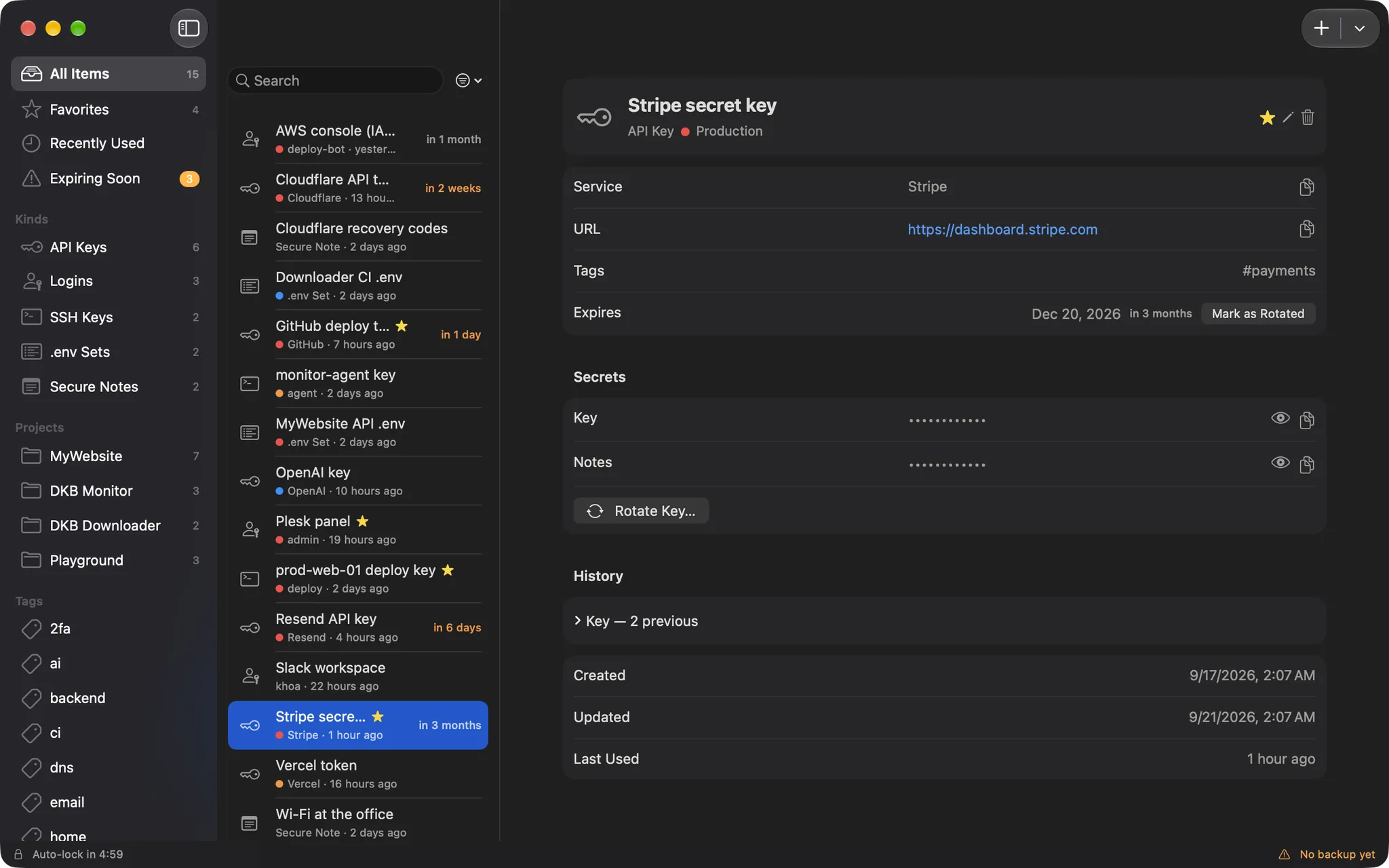
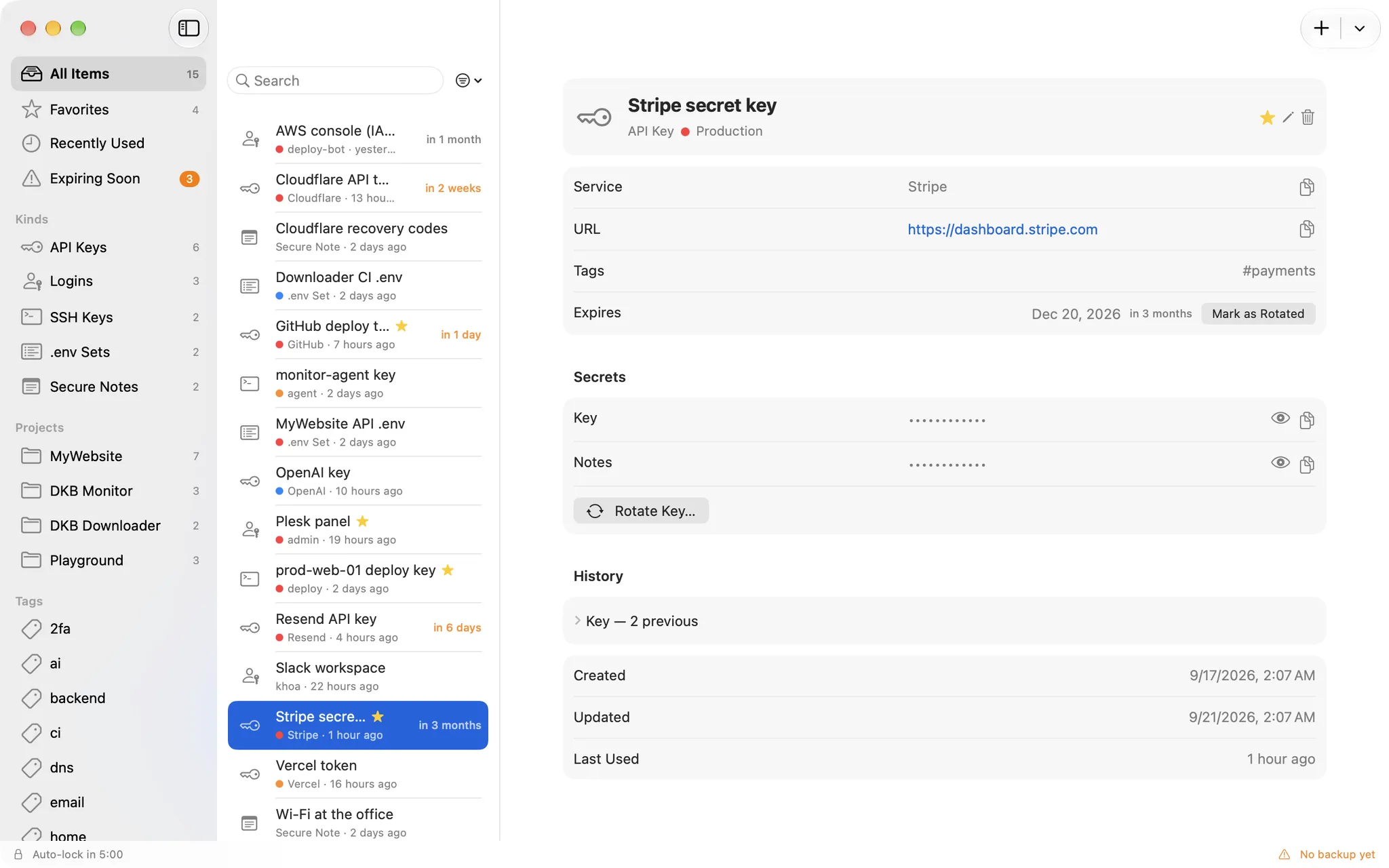
Each kind has the fields it needs: service and URL for an API key, host and public key for an SSH key, a body for a note. Group them by project, tag them, star the ones you use most.

  • Projects, tags, favourites and Recently used
  • Environments: production, staging, development
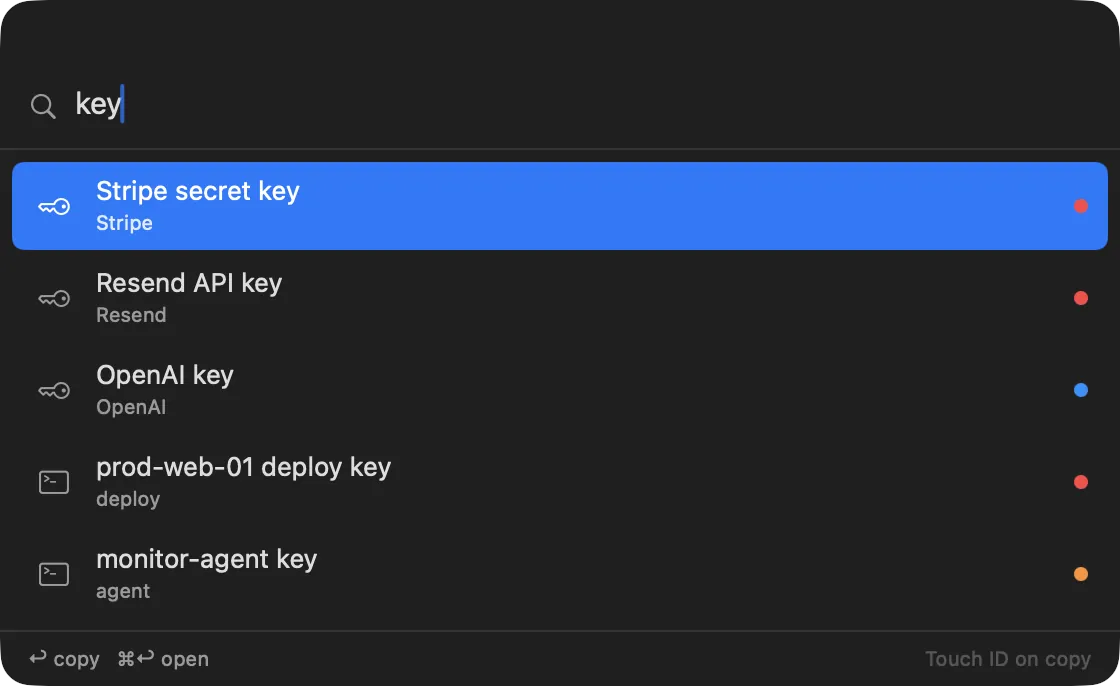
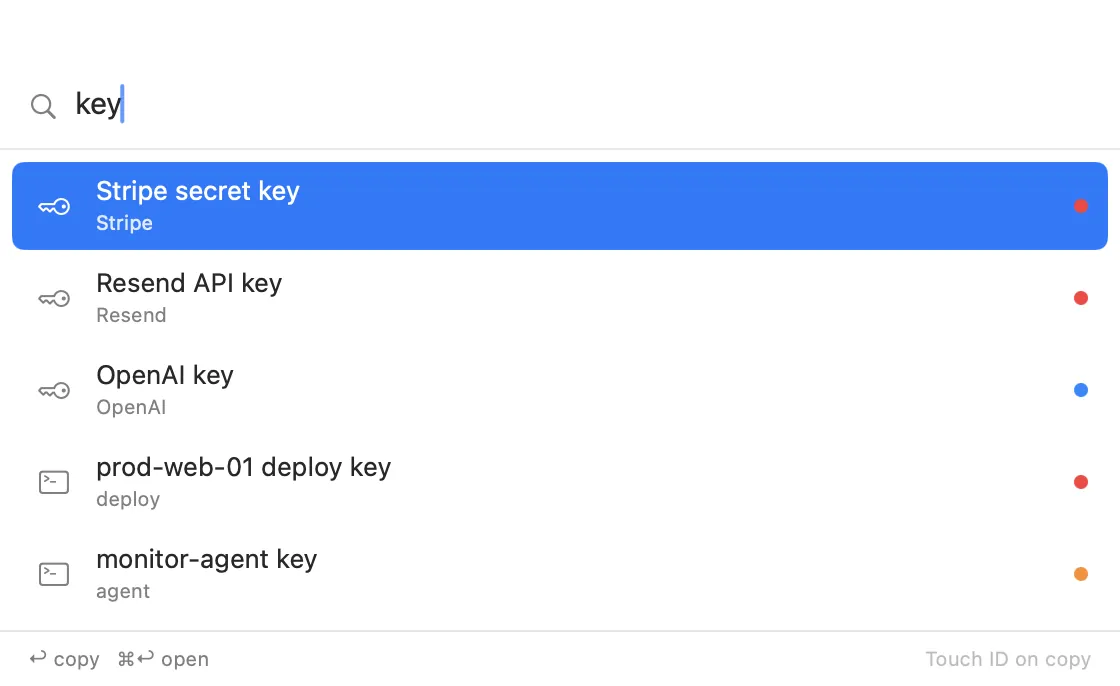
  • Instant search over titles and metadata, never over values
DKB Secret: Keys, logins, SSH, .env and notesDKB Secret: Keys, logins, SSH, .env and notes

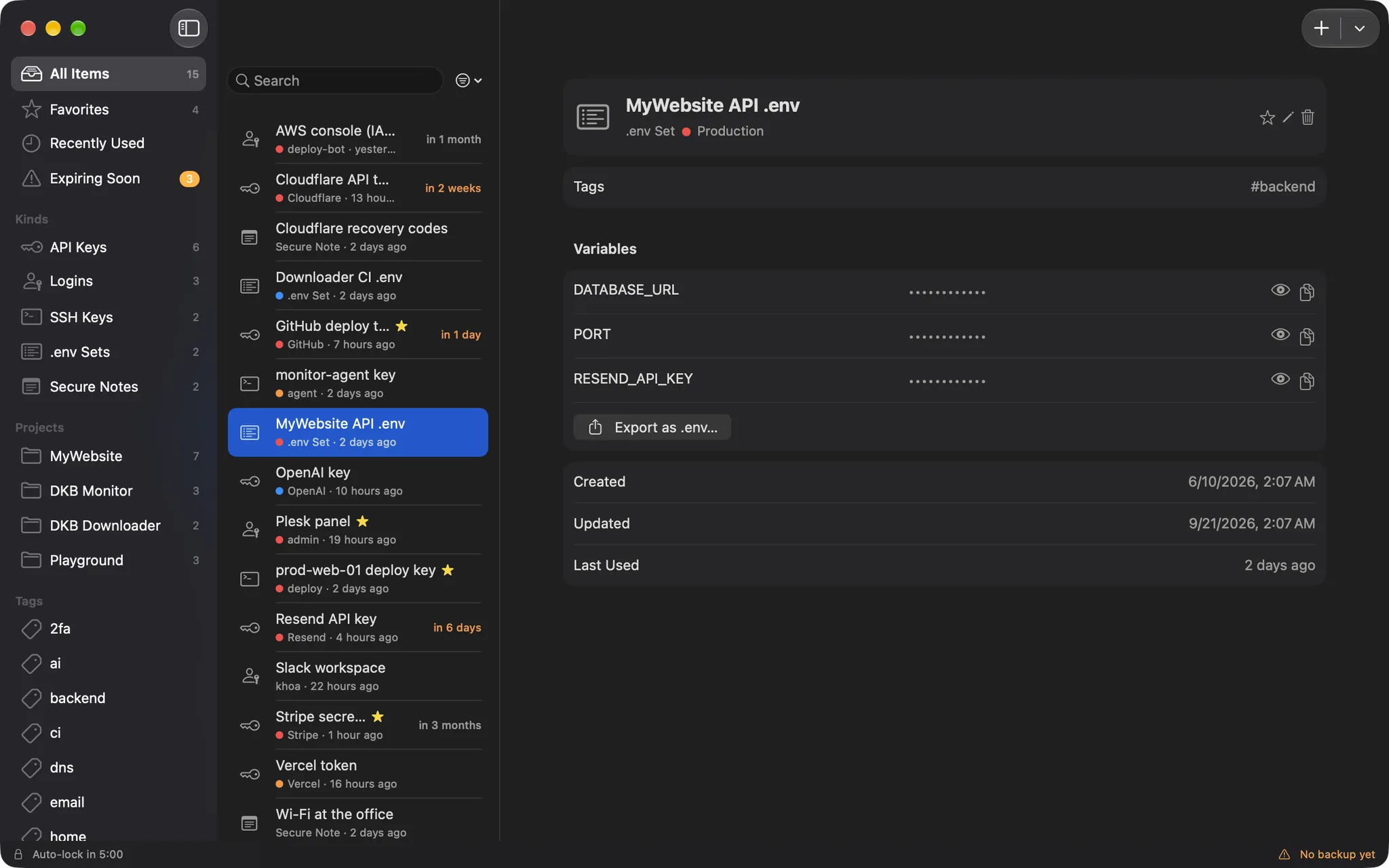
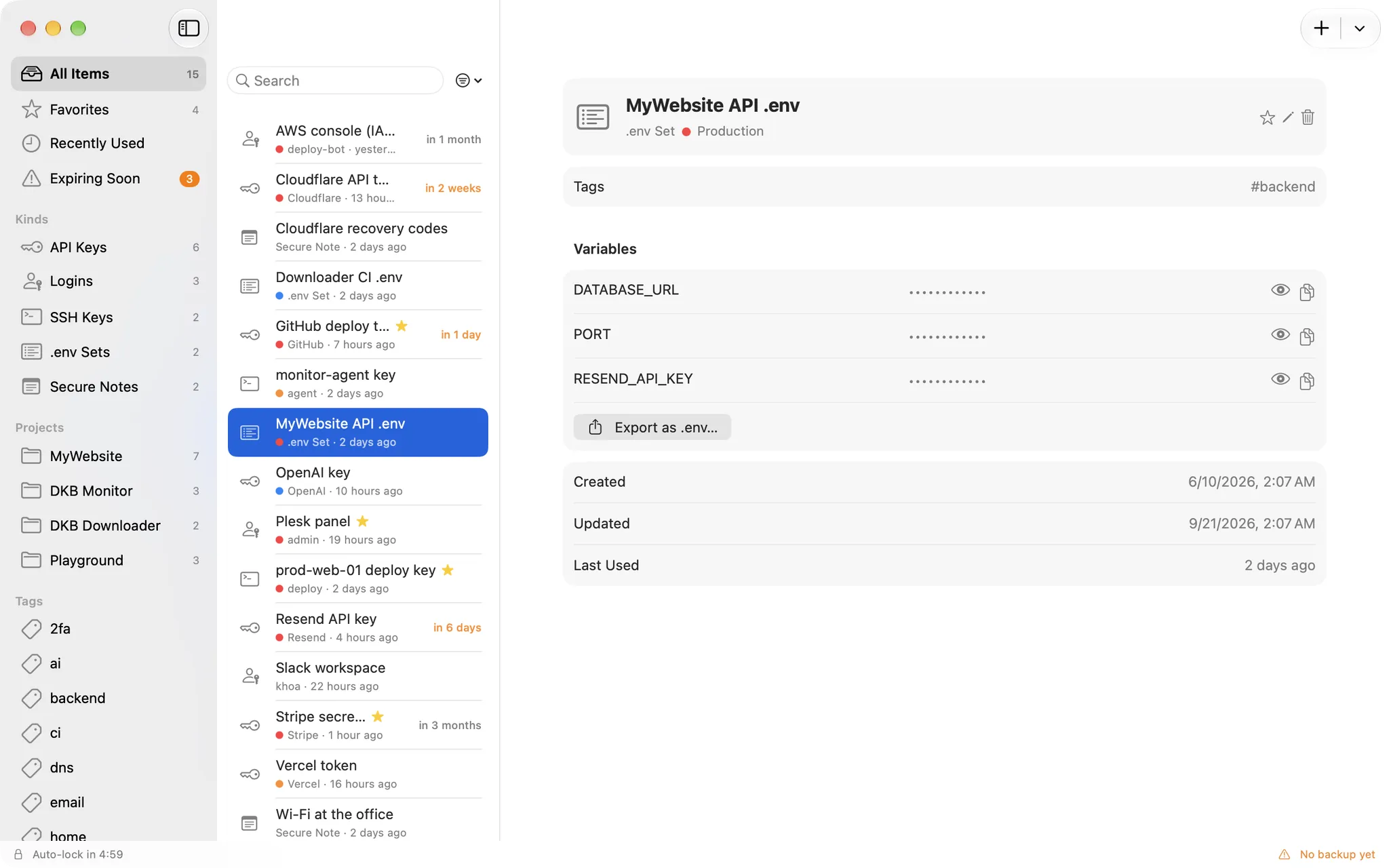
.env sets

A whole .env file as one item

Store every variable of an environment together, copy them one at a time, or export the set as a .env file when a machine needs it. Import works the other way round.

  • One masked row per variable
  • Export as .env, import from .env
  • Per-environment sets: prod, staging, dev
DKB Secret: A whole .env file as one itemDKB Secret: A whole .env file as one item

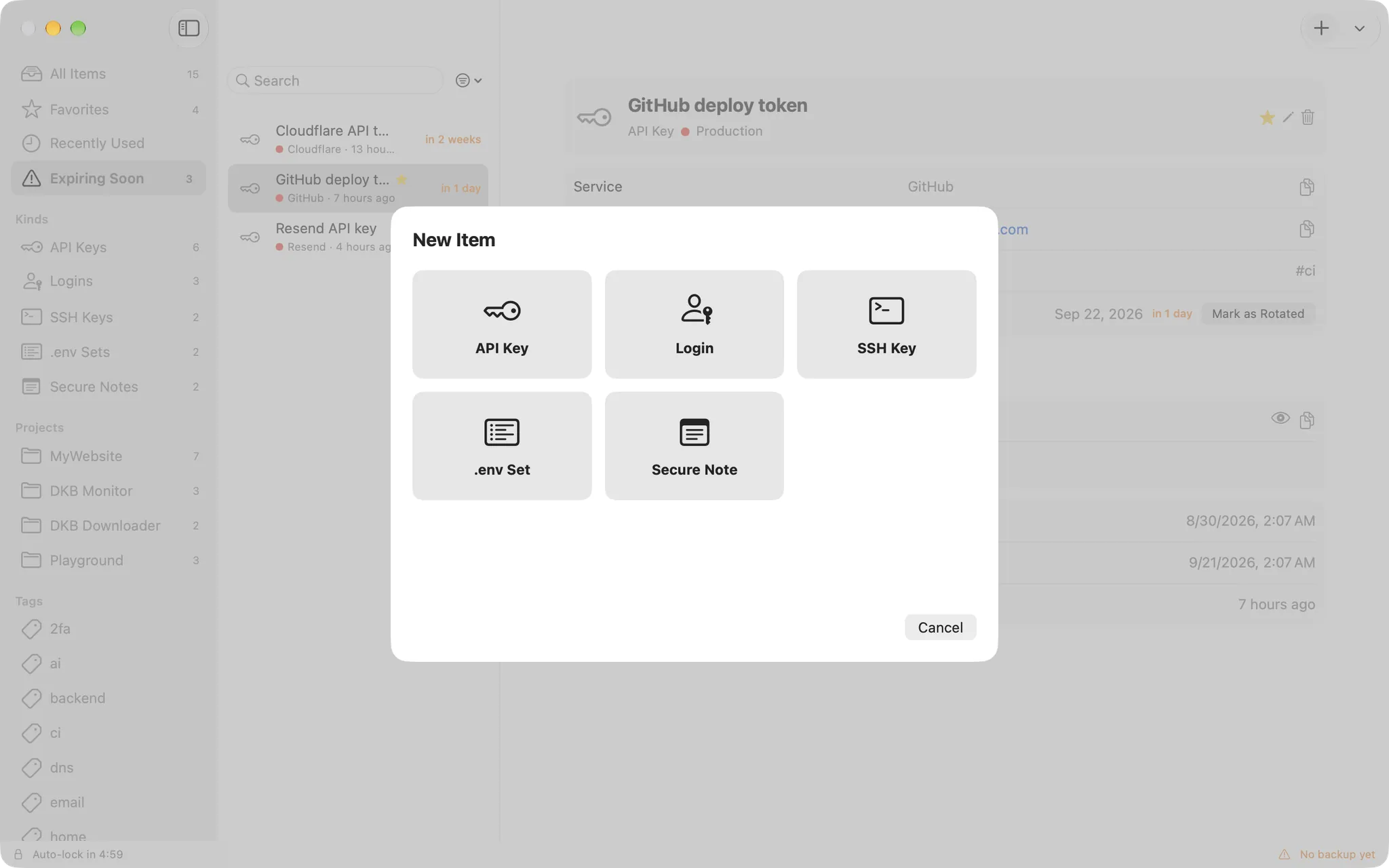
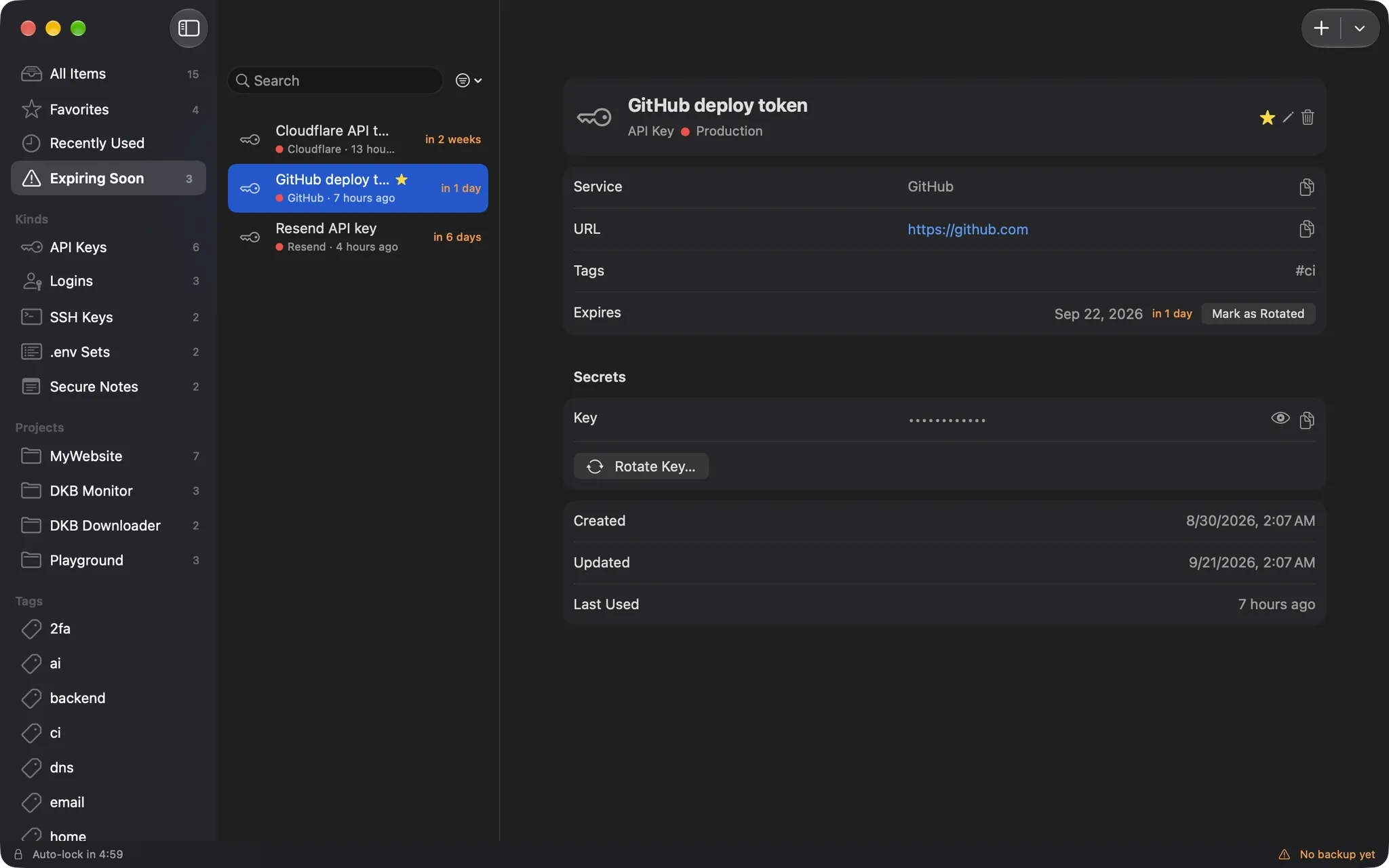
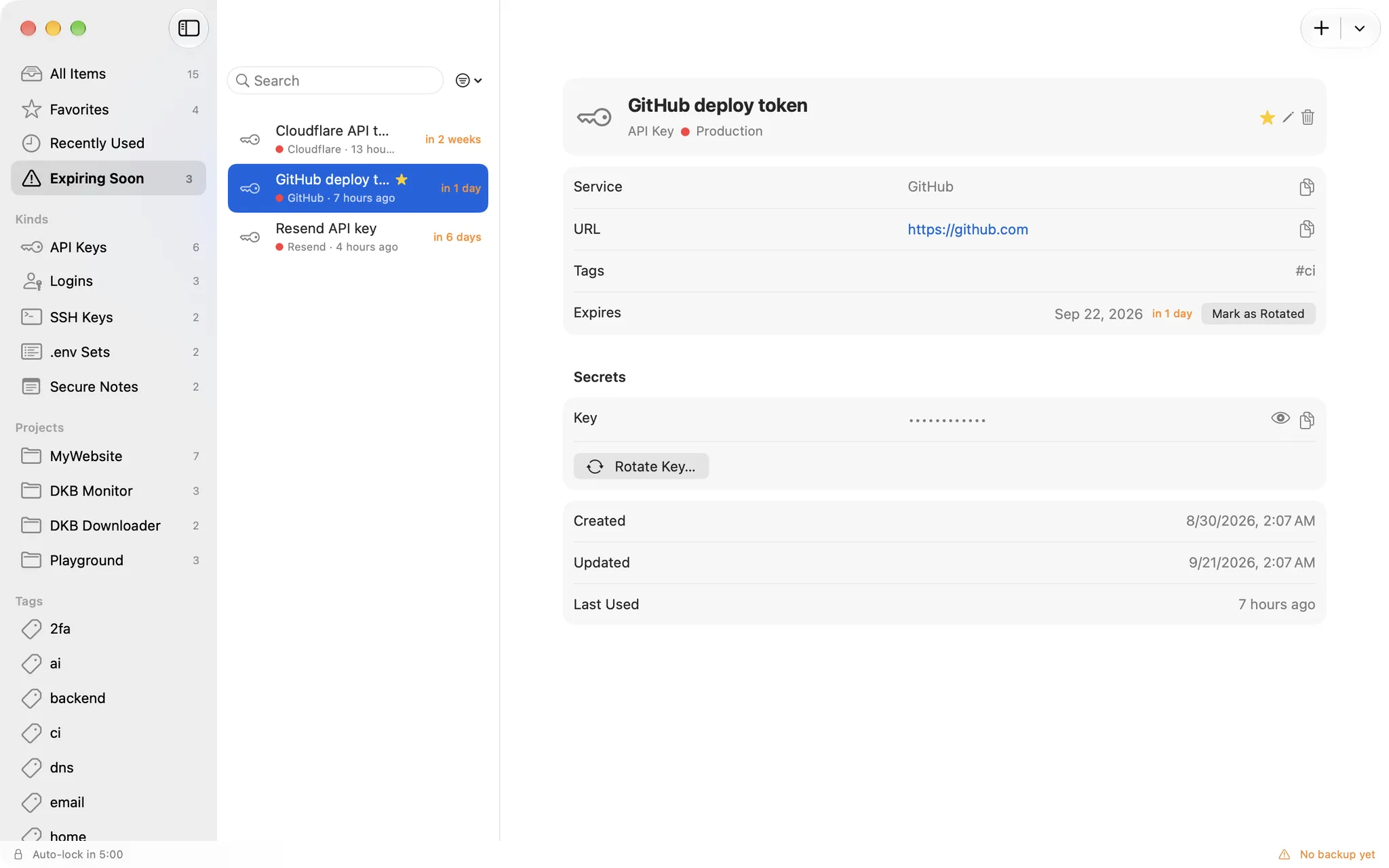
Rotation and expiry

Know what expires before it does

Give a key an expiry date and it shows up in Expiring soon with reminders 14, 7 and 1 day ahead, and on the day. Rotate it in place and the previous values stay in a five-deep history.

  • Expiring soon list with a badge in the sidebar
  • Rotate with history, or Mark as rotated
  • Default expiry per kind, applied on create and rotate
DKB Secret: Know what expires before it doesDKB Secret: Know what expires before it does

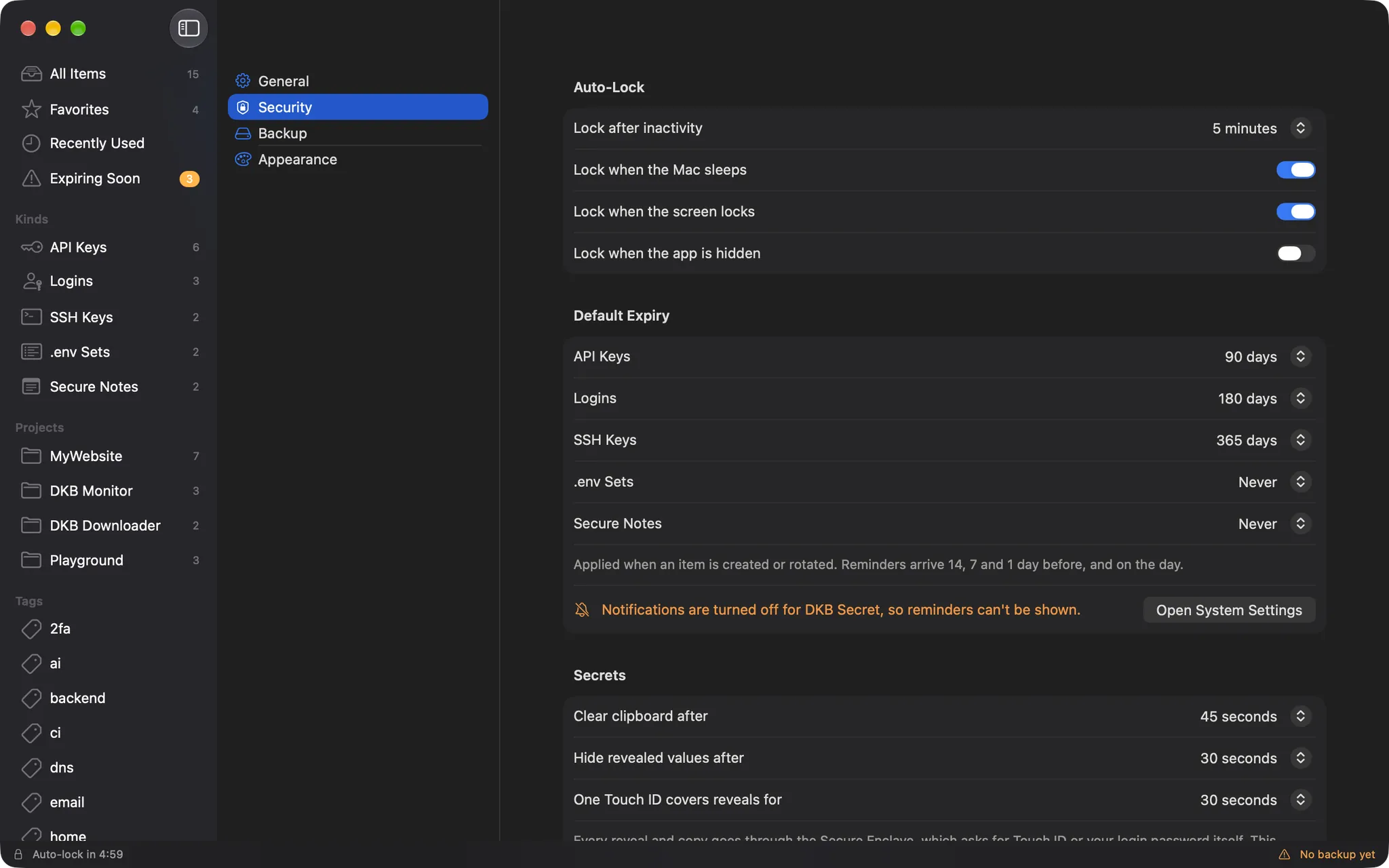
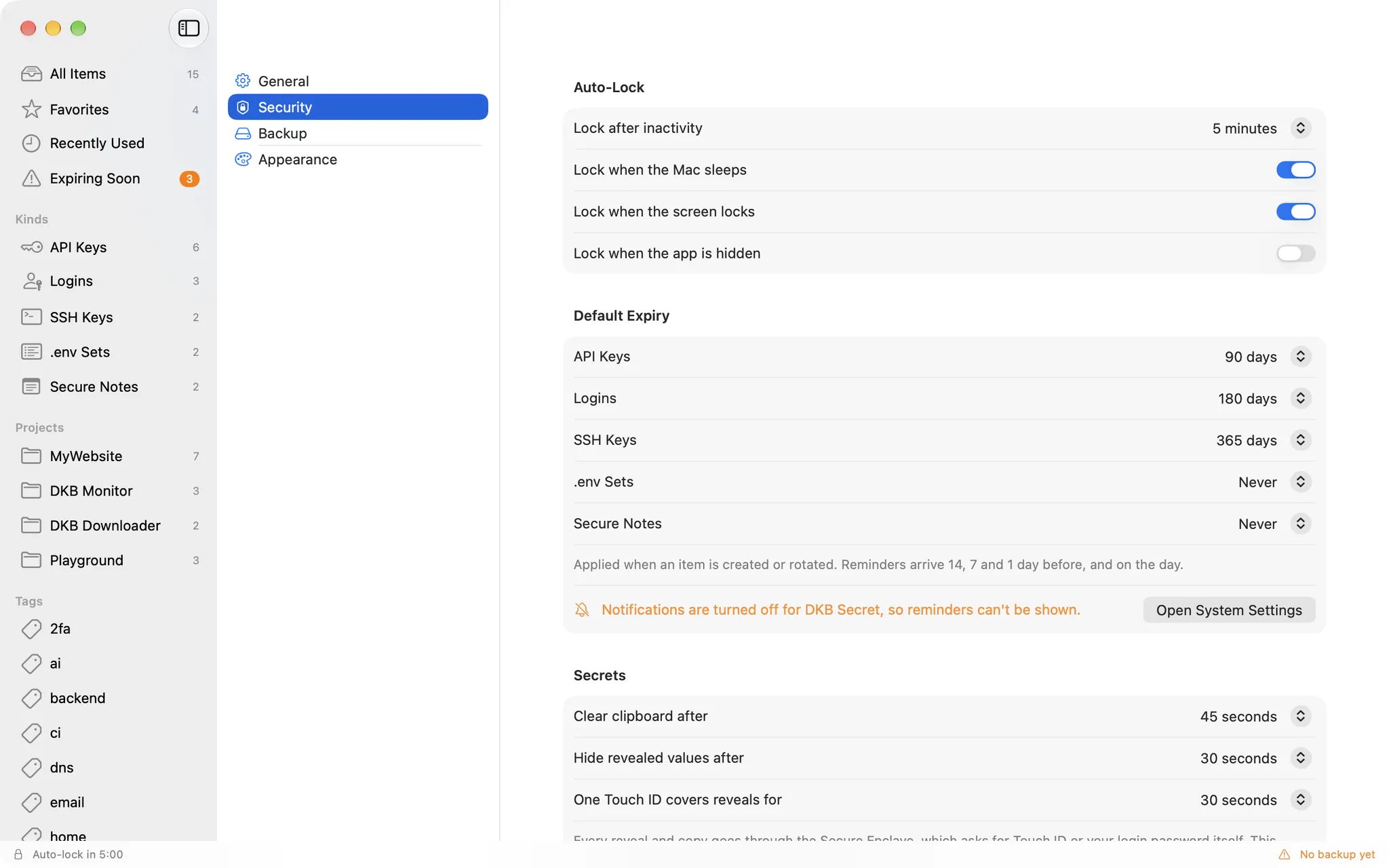
Auto-lock

Locks itself, the way you want

The vault locks after a few minutes idle, when the Mac sleeps, when the screen locks or when the app is hidden. Timers for the clipboard and revealed values are yours to set too.

  • Idle, sleep, screen lock and hide, each its own switch
  • Clipboard and reveal timers in seconds
  • Touch ID prompt as soon as the window or the menu bar panel opens
DKB Secret: Locks itself, the way you wantDKB Secret: Locks itself, the way you want

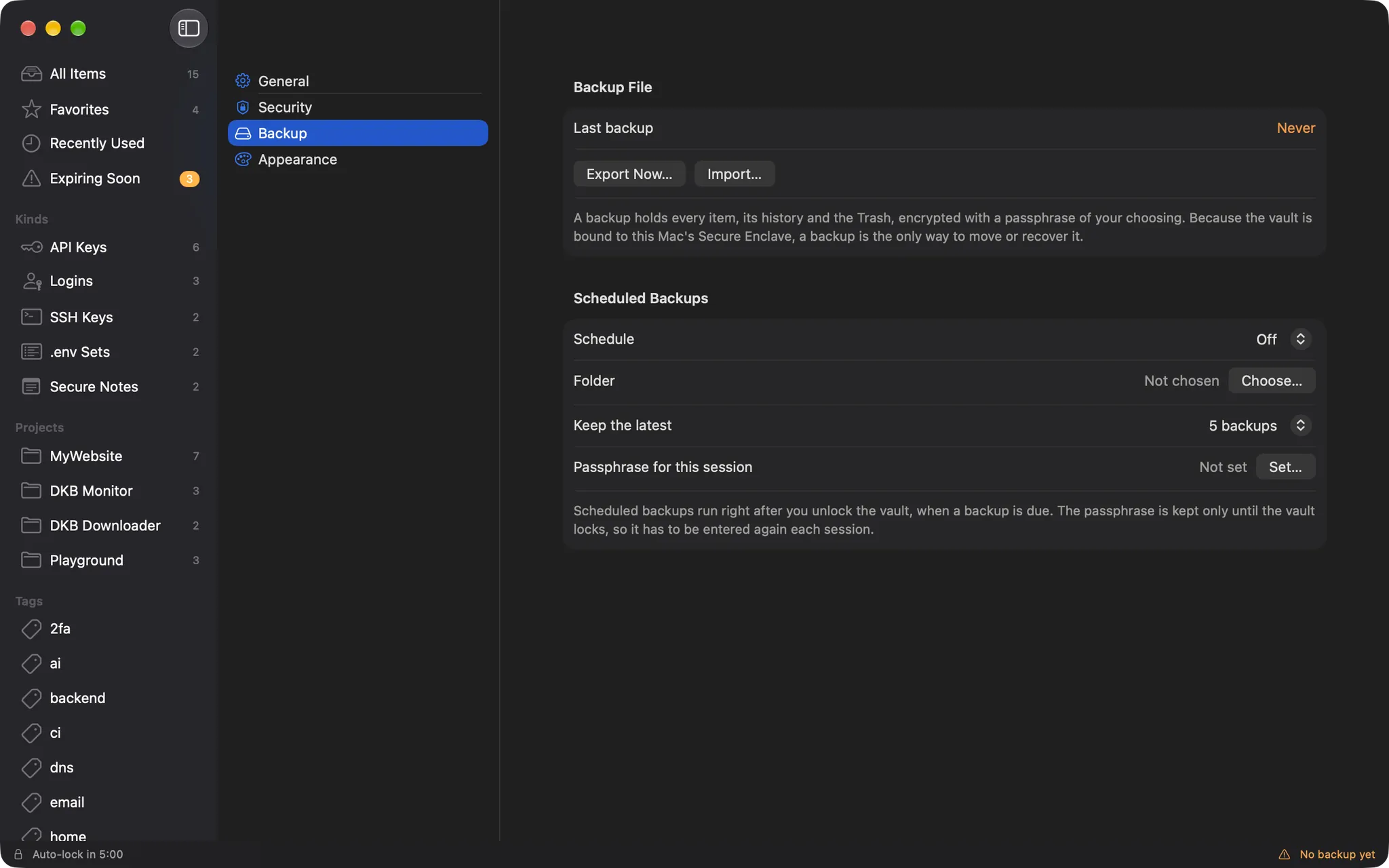
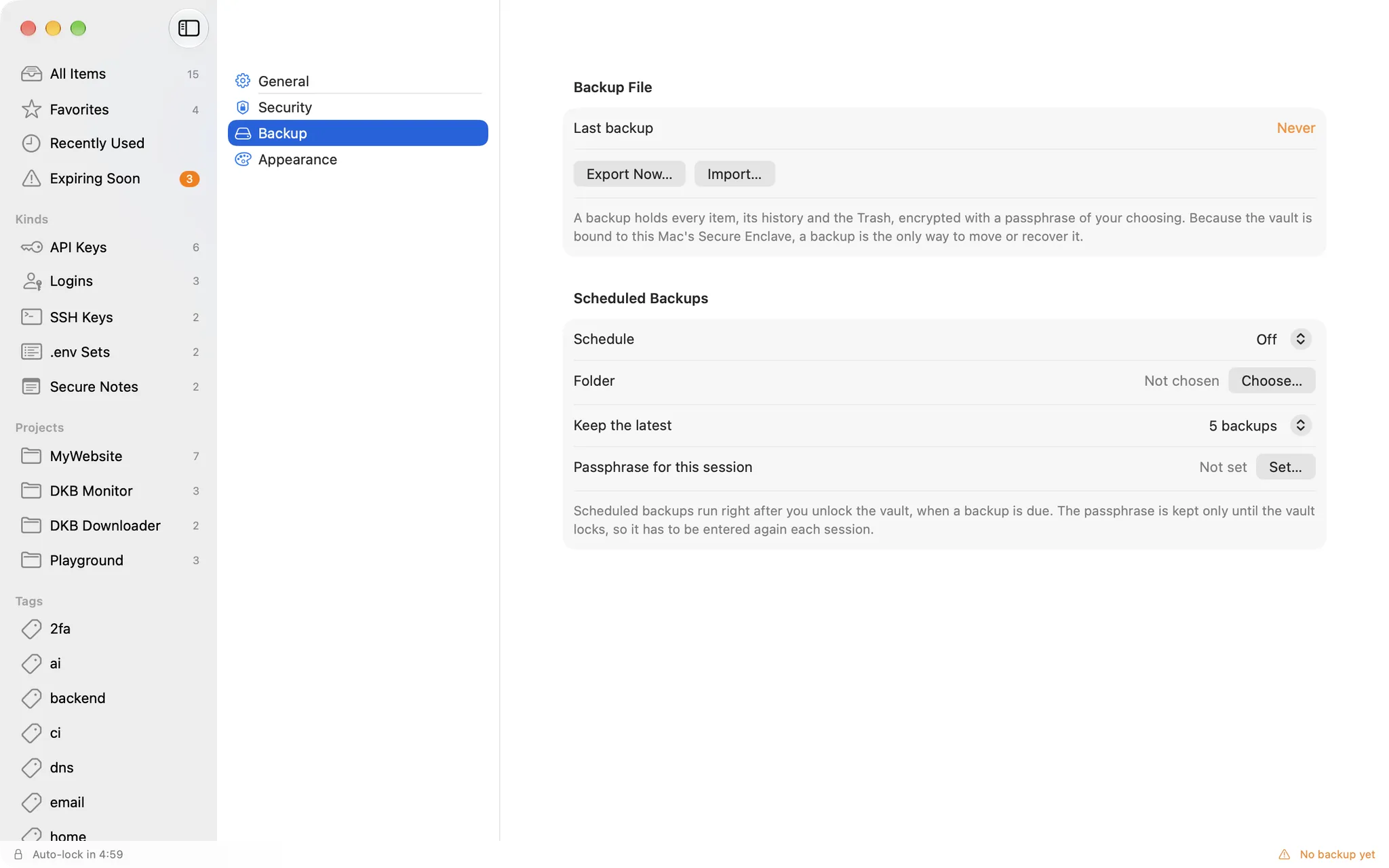
Backups

Encrypted backups you actually own

Because the vault is bound to this Mac's Secure Enclave, a backup is the only way to move or recover it. Export a .dkbsecret file protected by a passphrase, or let the app write one on a schedule.

  • PBKDF2 600k rounds, AES-256-GCM
  • Import by merge or replace
  • Scheduled backups to a folder of your choice, keeping the latest few
DKB Secret: Encrypted backups you actually ownDKB Secret: Encrypted backups you actually own

Also in the box

  • Sandboxed, no network entitlement: nothing can be sent anywhere
  • Every window is capture-proof: screenshots and screen sharing show nothing
  • Password generator for new logins
  • Trash with restore, and item history
  • No auto-update by design: new versions are downloaded from this page
  • Universal binary, English and Vietnamese, light and dark

概要

DKB Secret is a native macOS vault for the secrets developers juggle every day: API keys and tokens, logins, SSH keys, whole .env sets and secure notes. One user, one Mac. No account, no server, no sync, and no network access at all.

How your secrets are protected

  • The vault's master key is generated inside the Secure Enclave and never leaves the chip. Every secret is encrypted with CryptoKit HPKE to that key, so revealing or copying a value goes through the Secure Enclave and requires Touch ID or your login password.
  • Opening the app, or its menu bar panel, asks for Touch ID right away, the way Apple's Passwords app does.
  • Sandboxed with no network entitlement: nothing can be sent anywhere.
  • Every window is capture-proof (screenshots and screen sharing show nothing), copied values are marked concealed and cleared from the clipboard on a timer, and revealed values hide again automatically.

Key features

  • Five kinds of items: API keys, logins, SSH keys, .env sets and secure notes, organised by projects, tags, favourites and environments (dev, staging, prod), with instant search over metadata.
  • Reveal and copy through Touch ID; values hidden after 30 seconds and the clipboard cleared after 45 seconds (both configurable).
  • Rotation with a five-deep history, expiry dates and reminders 14, 7, 1 and 0 days ahead.
  • Auto-lock on idle, sleep, screen lock or when the app is hidden.
  • Menu bar quick search and a global shortcut (Option+Command+S by default) that works from any app.
  • Encrypted, passphrase-protected .dkbsecret backups (PBKDF2 600k, AES-256-GCM), import by merge or replace, scheduled backups to a folder of your choice; .env import and export.
  • English and Vietnamese interface.

Requirements

  • macOS 14 (Sonoma) or later.
  • A Mac with a Secure Enclave: any Apple silicon Mac, or an Intel Mac with the T2 chip (2018 and later). Universal binary for Apple silicon and Intel.

Good to know

  • Your vault is bound to this Mac's Secure Enclave. To move it to another Mac, export an encrypted backup and import it there. That is the only migration path, so keep a backup.
  • The app is signed with a local certificate, not notarized by Apple. On first launch macOS will block it: open System Settings, Privacy & Security, click "Open Anyway" and confirm.
  • On the first launch of each new version macOS asks once for your login password so the app can access its vault key. Click "Always Allow".

バージョン履歴

ダウンロードできるのは最新バージョンのみです。以前のバージョンは参考として掲載しています。

  1. v1.0.0最新

    First public release of DKB Secret

    • Local vault for API keys, logins, SSH keys, .env sets and secure notes, encrypted with the Secure Enclave and unlocked with Touch ID.
    • Touch ID is requested as soon as the app or its menu bar panel opens.
    • Projects, tags, favourites, environments and instant search.
    • Rotation history, expiry dates and reminders.
    • Auto-lock, capture-proof windows, concealed clipboard with auto-clear.
    • Menu bar quick search and a global shortcut (Option+Command+S).
    • Encrypted .dkbsecret backups, scheduled backups, .env import and export.
    • Universal binary for Apple silicon and Intel Macs; English and Vietnamese.

    Requires macOS 14 or later and a Mac with a Secure Enclave (Apple silicon, or Intel with the T2 chip). On first launch, allow the app in System Settings, Privacy & Security, Open Anyway.