Back to Apps

macOS app · Git client

DKB Source Control

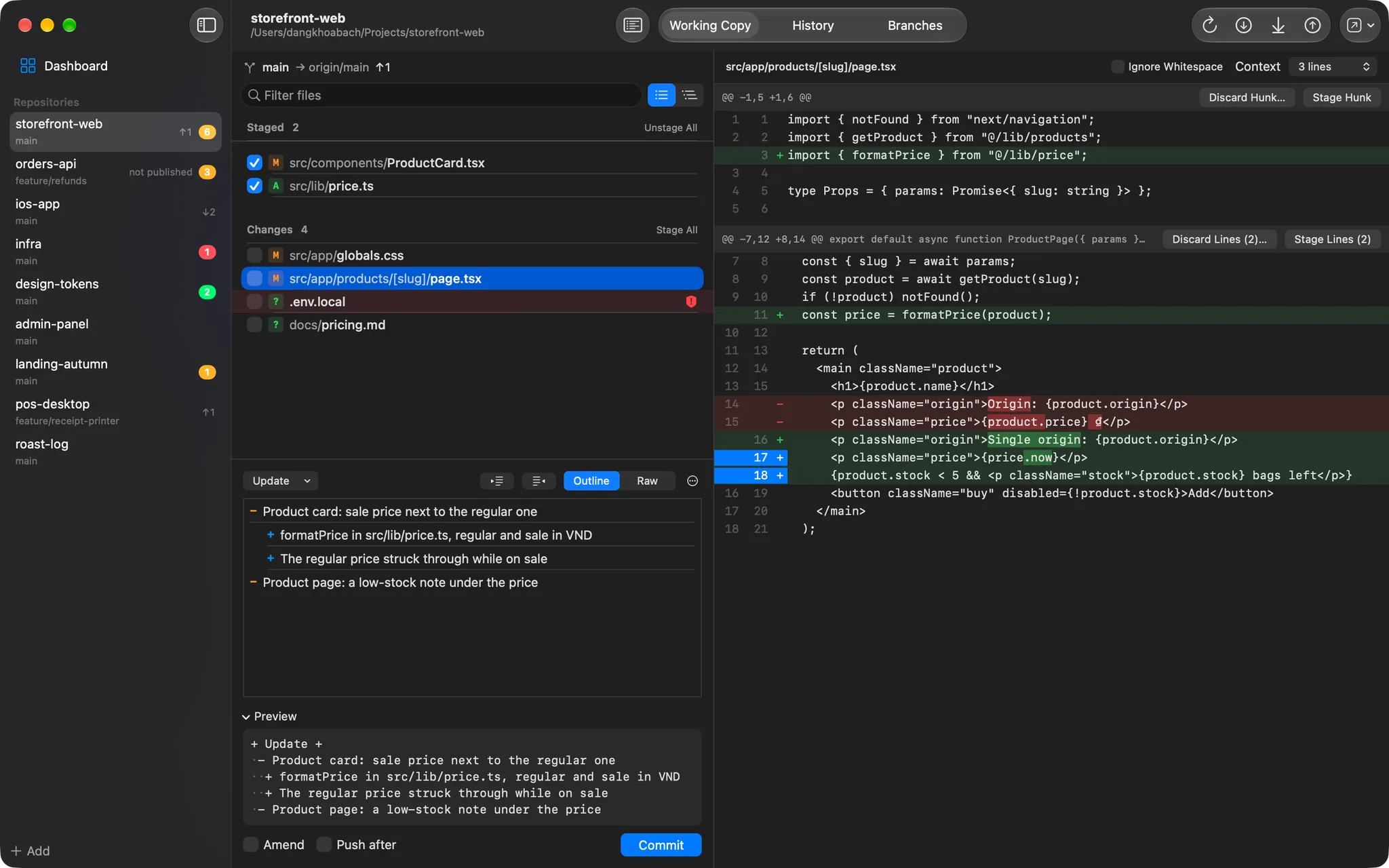
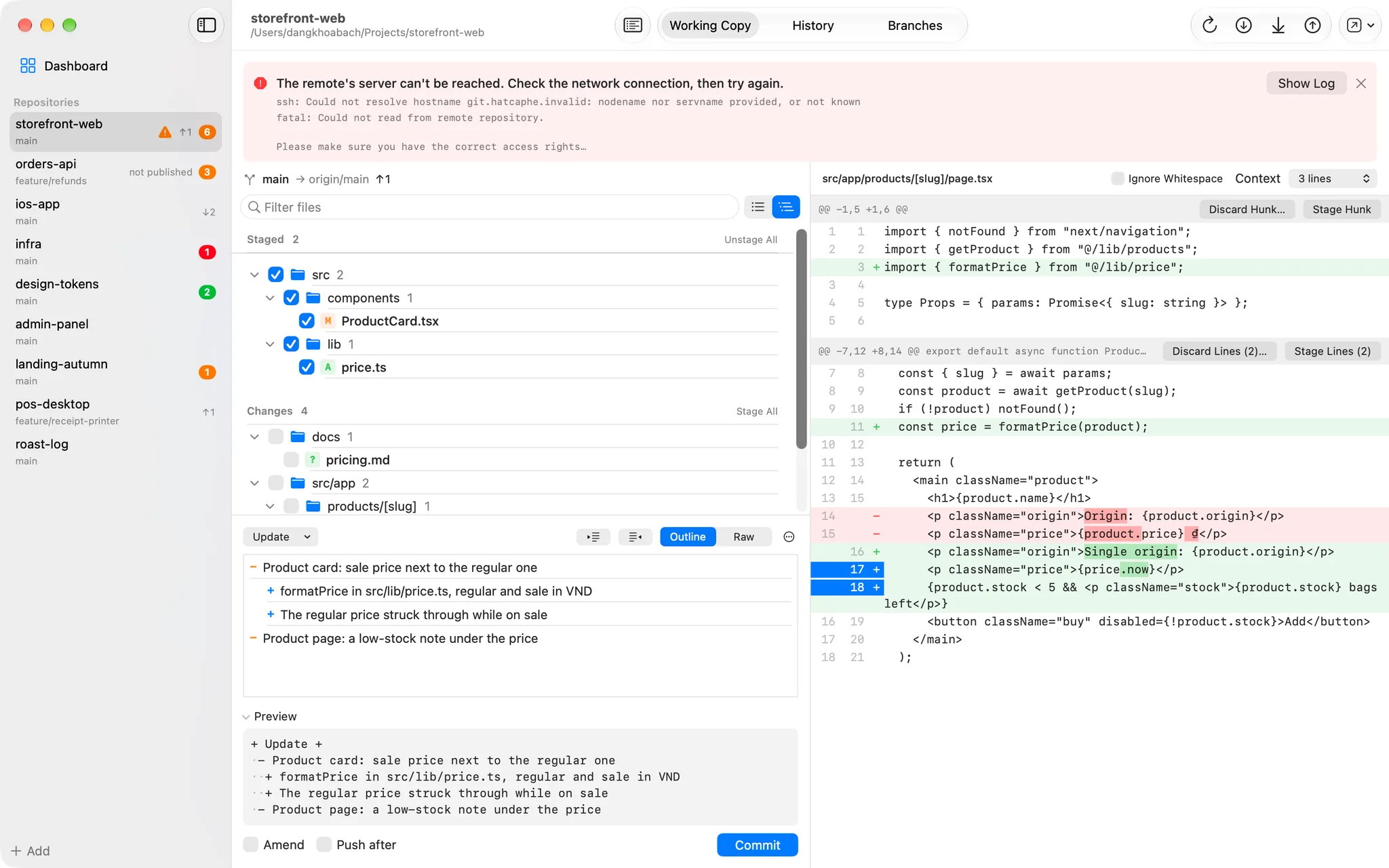
A native macOS Git client for everyday work: stage single lines, write structured commits and see every repository on one screen.

v1.0.3Updated October 11, 2026macOSFree

  • Files, hunks or single lines
  • Changed words highlighted
  • Follows edits from other apps within a second
DKB Source Control: Stage exactly what you meant toDKB Source Control: Stage exactly what you meant to

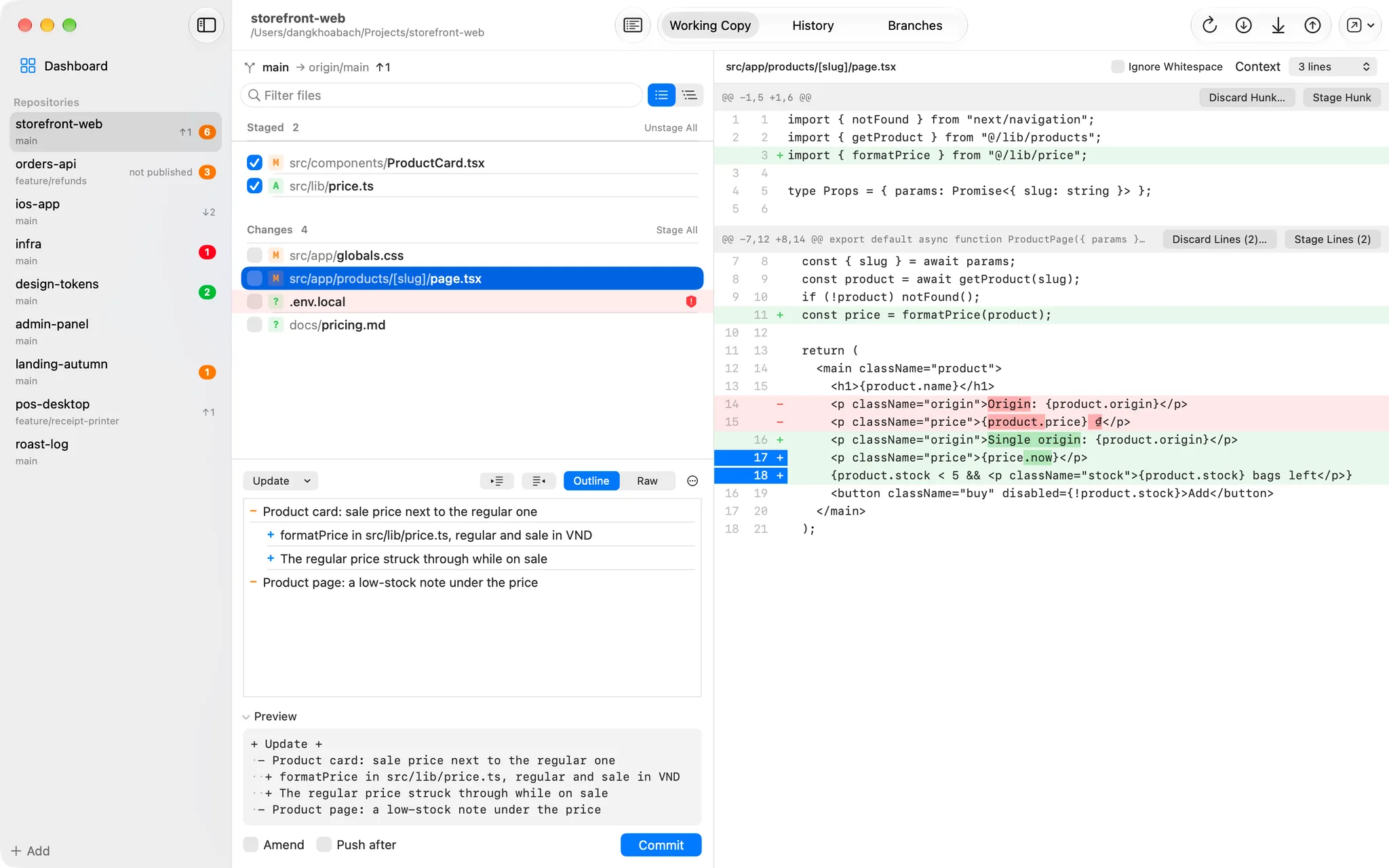
Commit composer

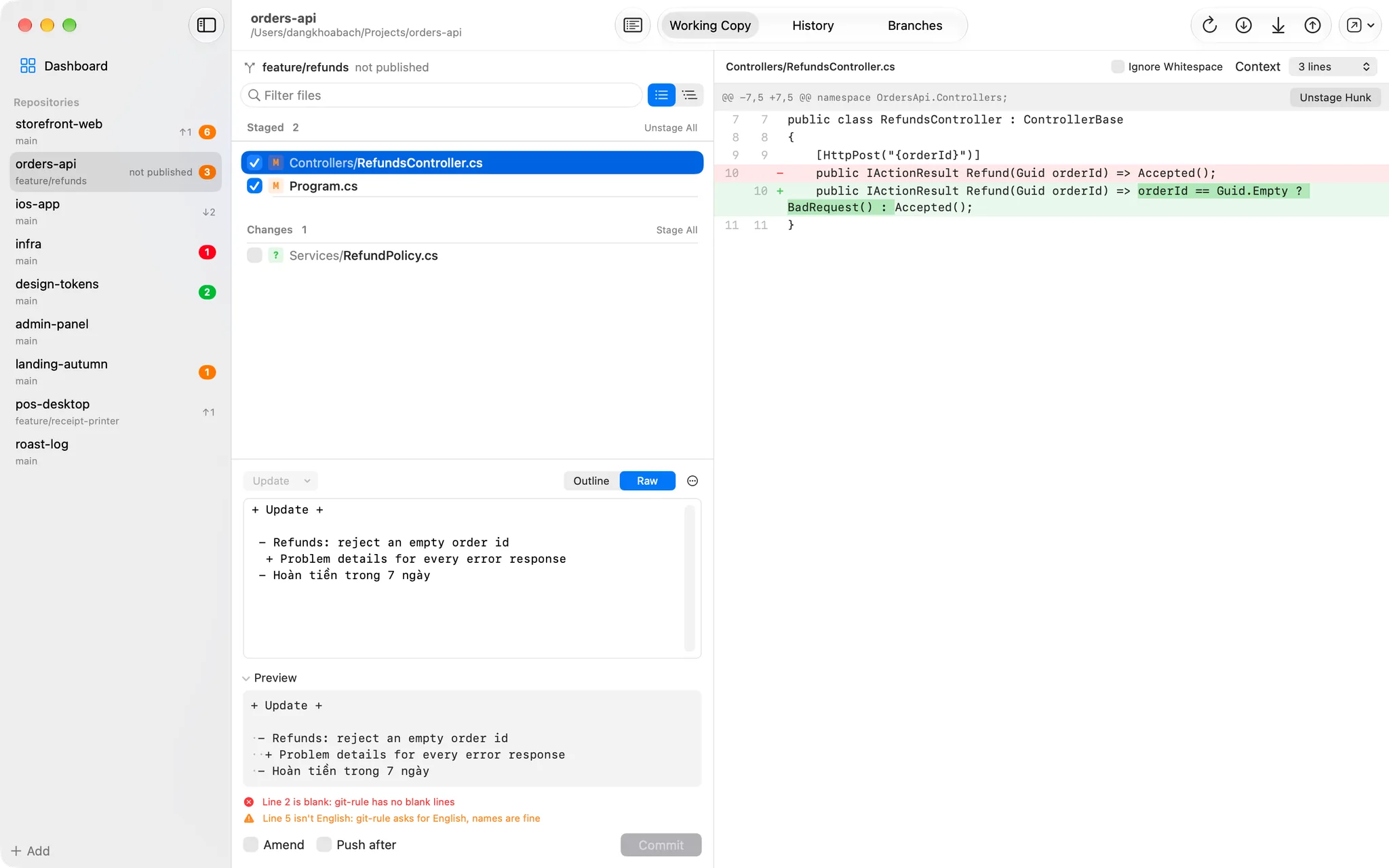
Messages in your format, checked as you type

Pick a keyword and write the details as an outline: Return adds a line, Tab and Shift-Tab change its level. The preview shows byte for byte what git will receive, and when something is wrong, Commit stays grey with the reason underneath.

  • Outline or raw text, with a live preview
  • Blank lines and broken structure block the commit; non-English text only warns
  • Drafts kept per repository across launches
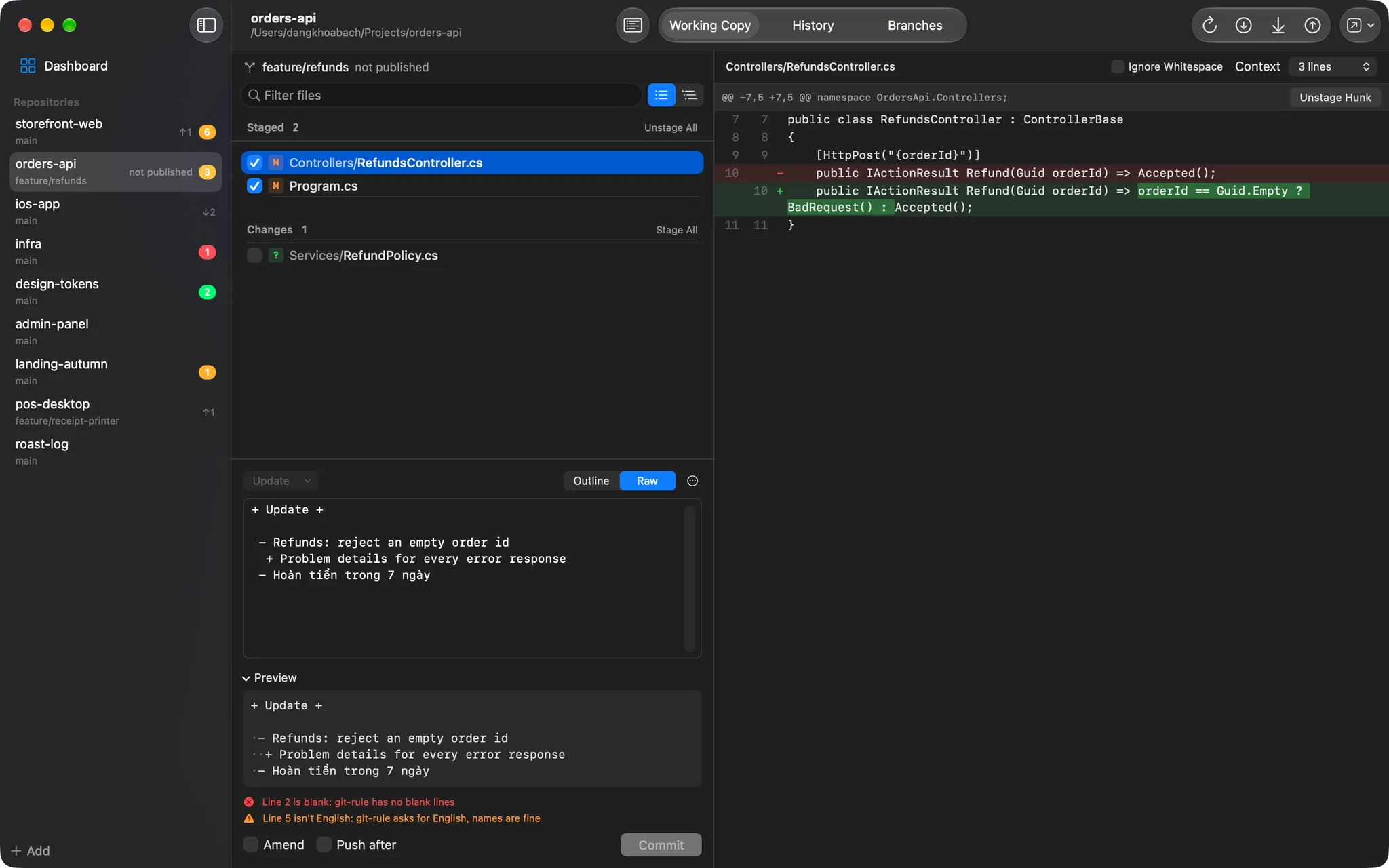
DKB Source Control: Messages in your format, checked as you typeDKB Source Control: Messages in your format, checked as you type

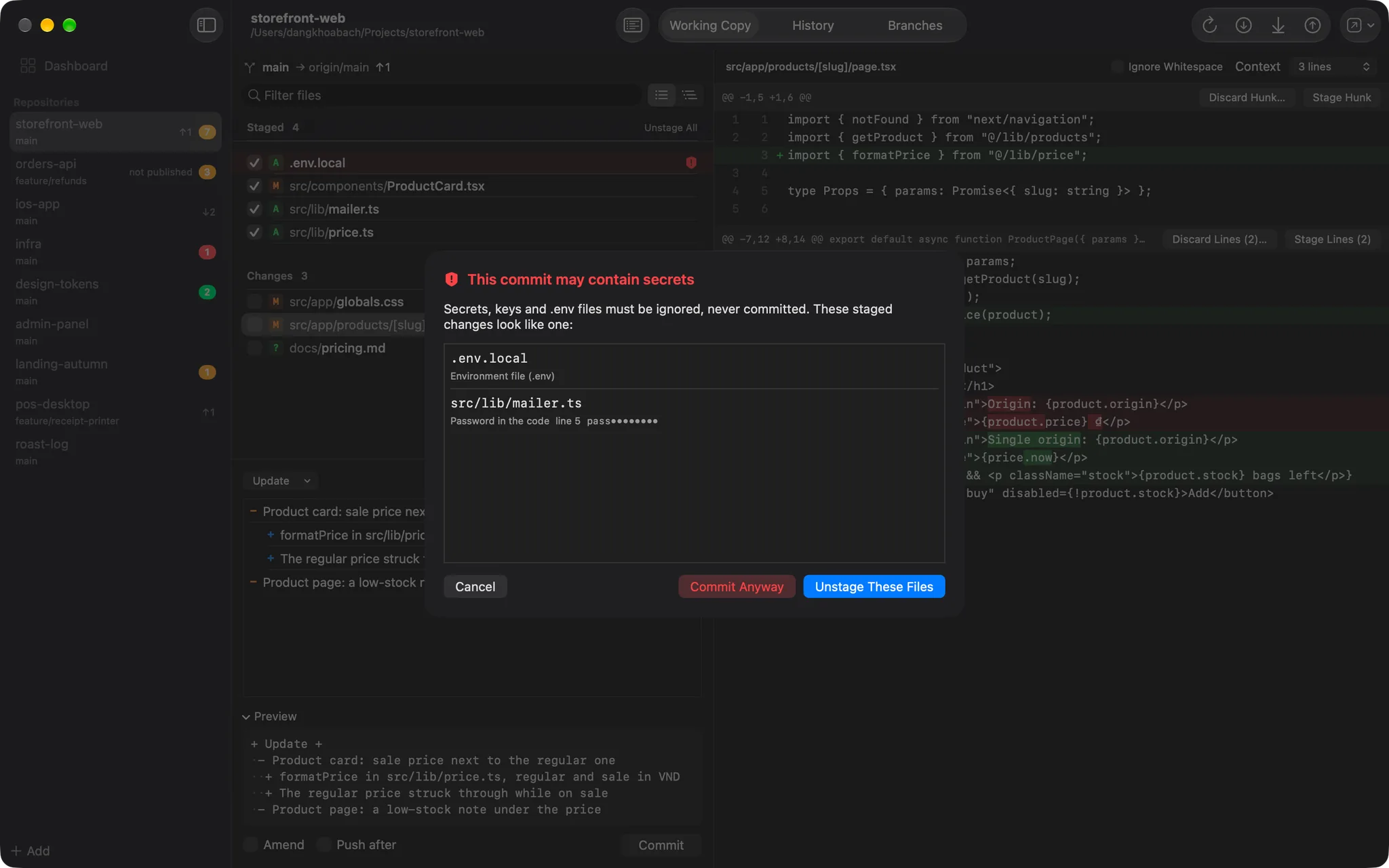
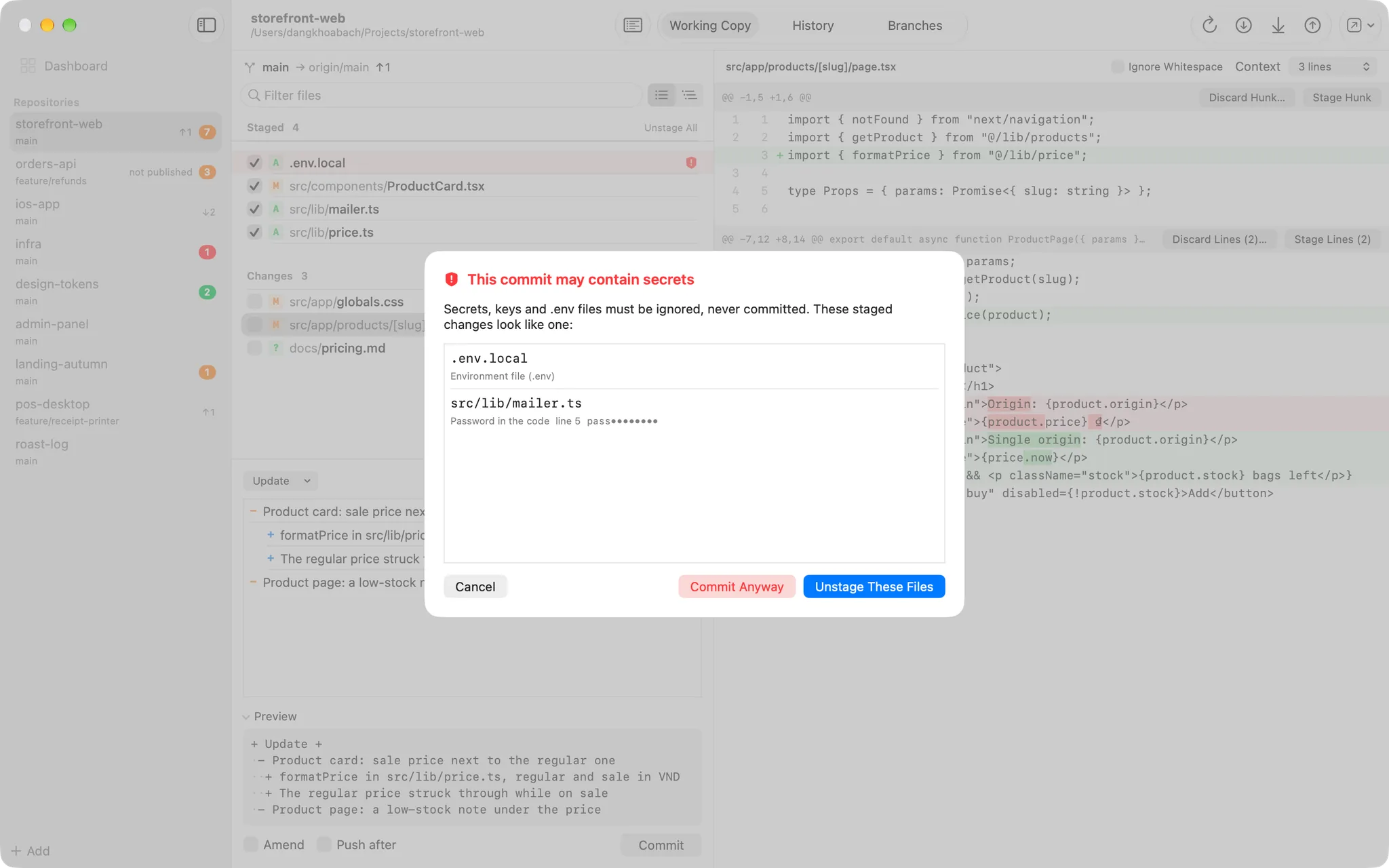
Secret check

Nothing secret slips into a commit

Before every commit the staged changes are checked: .env files, private keys, signing files and local config by name, API keys, tokens and passwords in the added lines. The finding is listed with its value masked, and unstaging is the default answer.

  • 14 rules over file names and added lines
  • Files that look like secrets are tinted before you stage them
  • Commit Anyway is there, but never the default
DKB Source Control: Nothing secret slips into a commitDKB Source Control: Nothing secret slips into a commit

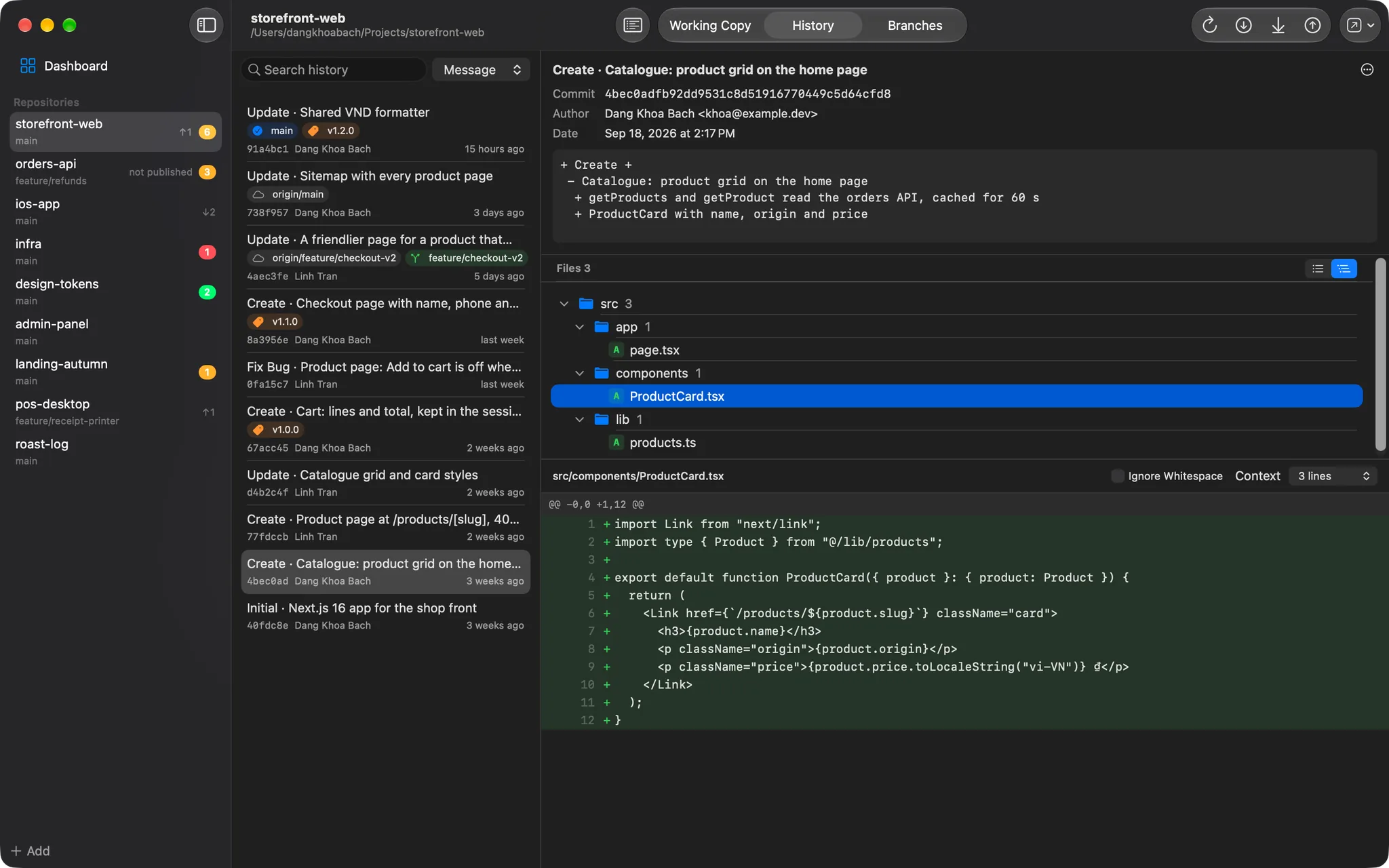
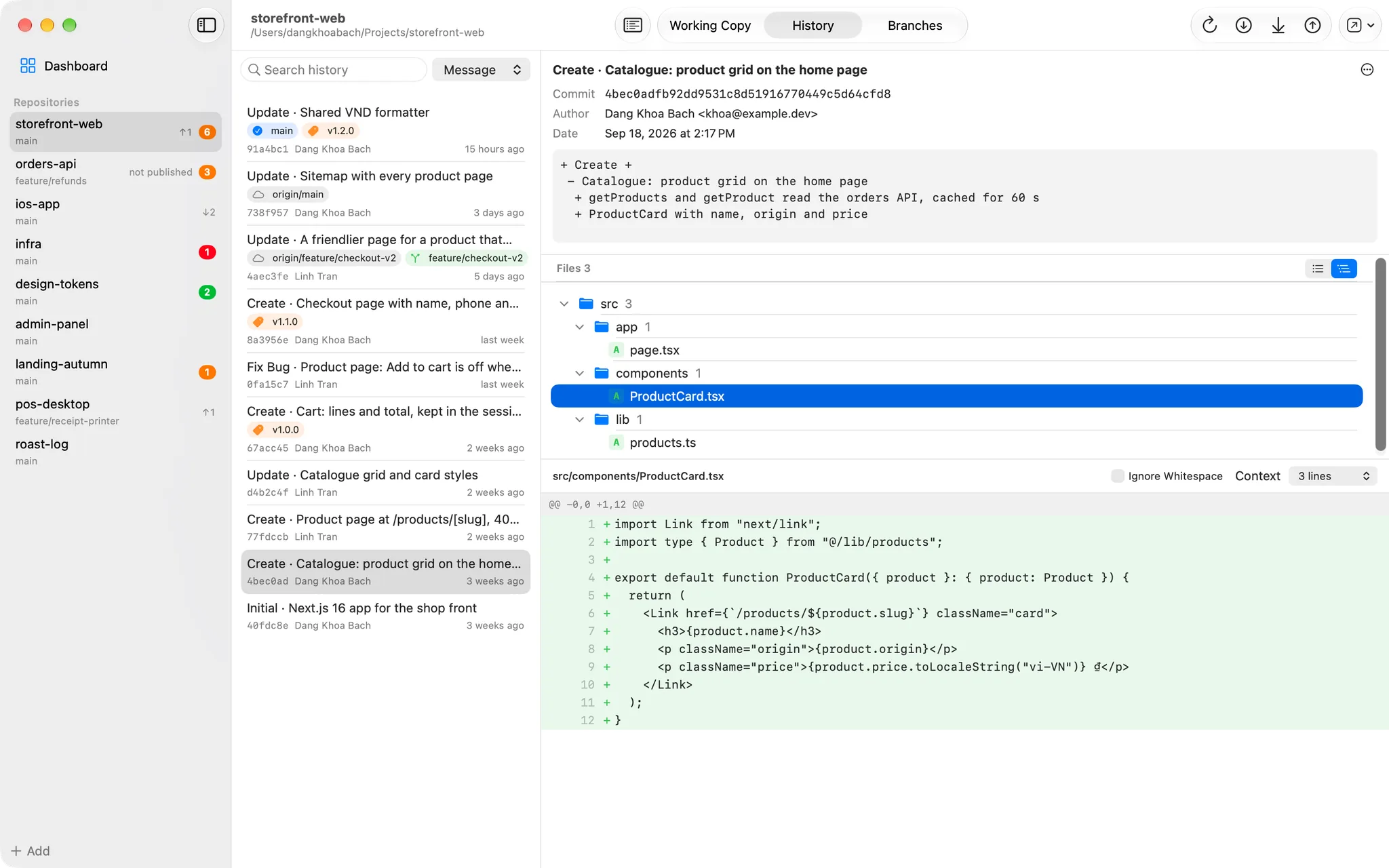
History

Read any commit, file by file

200 commits at a time, with branches, remote branches and tags marked by kind. Search by message, author or path, open a commit for its full message and the files it changed, as a list or a folder tree, and read each file's diff.

  • Any branch's history, or one file's across renames
  • Copy the SHA or the message, open the commit on GitHub
  • Reuse a message in the composer
DKB Source Control: Read any commit, file by fileDKB Source Control: Read any commit, file by file

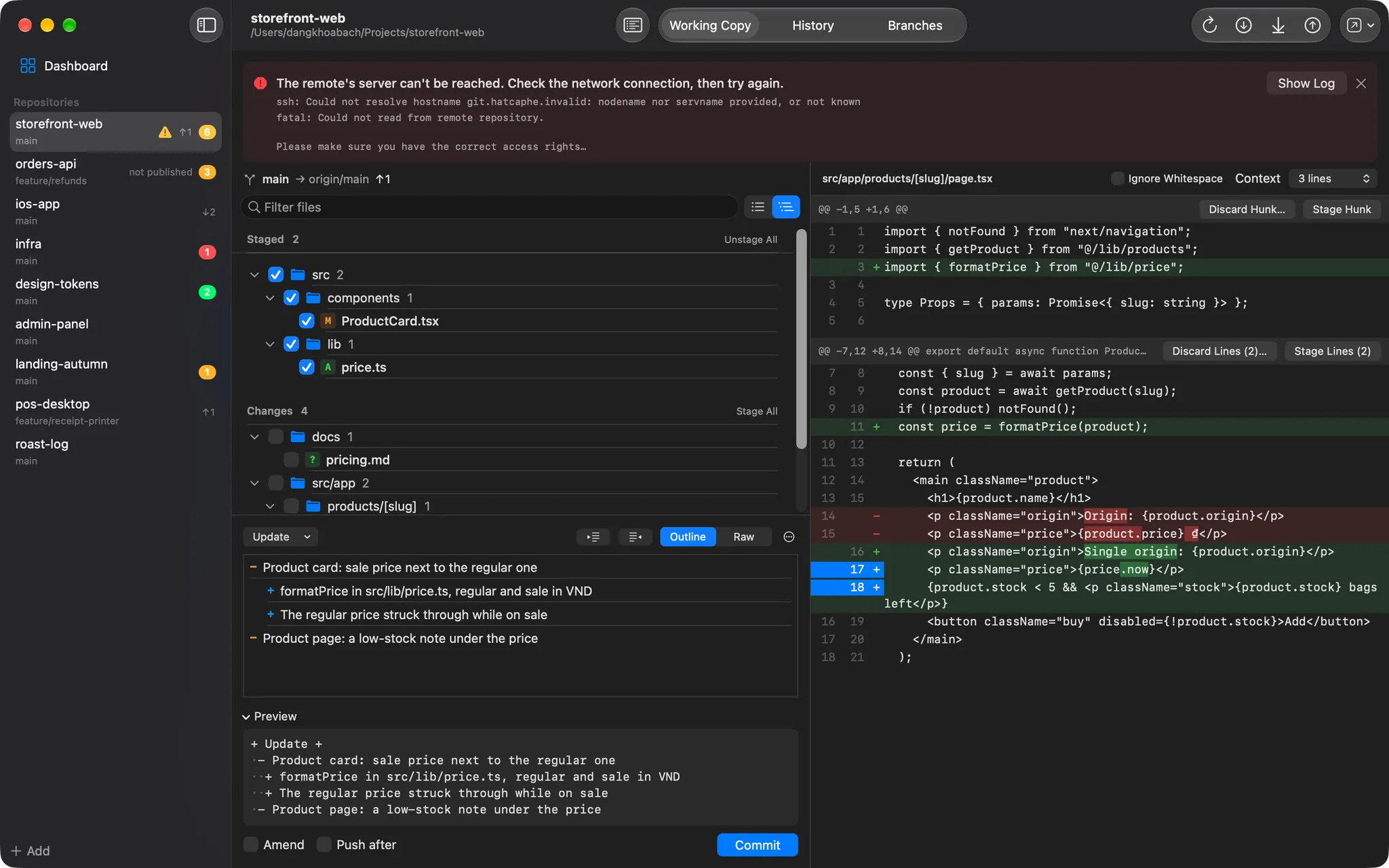
Fetch, pull and push

When git fails, you are told why

Fetch, pull and push run the git on your Mac, with your own credentials and hooks. A failure shows git's own output next to a one-line explanation, and the log keeps every command with its duration. File lists can be a folder tree, with a checkbox per folder.

  • A branch that was never published asks before its first push
  • Pull fast-forward only, or rebase if you choose
  • No saved account? Sign in from the app, and git keeps it in your Keychain
DKB Source Control: When git fails, you are told whyDKB Source Control: When git fails, you are told why

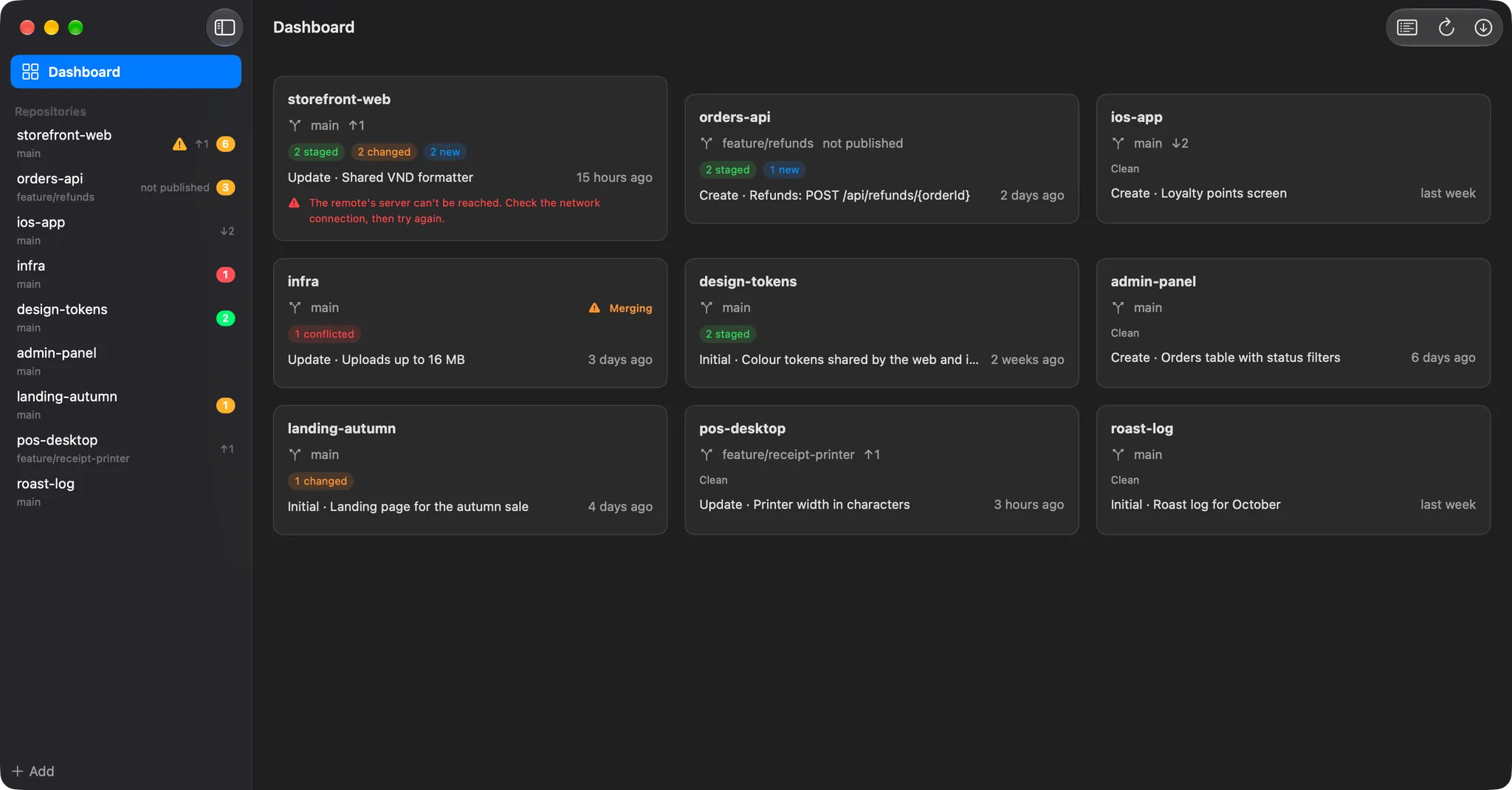
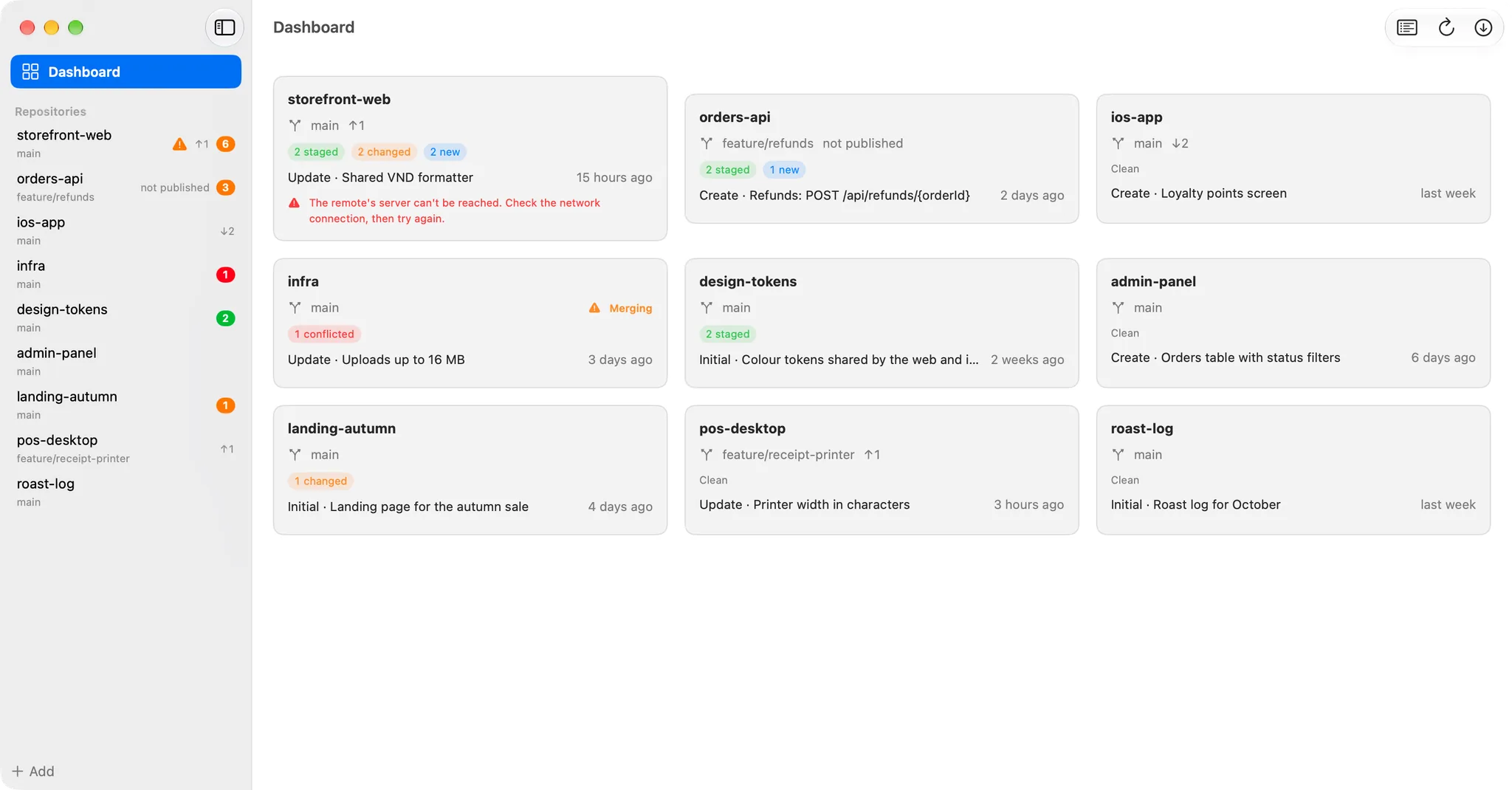
Dashboard

Every repository on one screen

Which repositories have changes, which are ahead or behind, which are in the middle of a merge. Each card shows the branch, the staged, changed and new files and the last commit; refresh or fetch them all with one click.

  • A coloured count of uncommitted files in the sidebar
  • Add by cloning a URL, choosing a folder or scanning one
  • Optional automatic fetch
DKB Source Control: Every repository on one screenDKB Source Control: Every repository on one screen

Also in the box

  • Undo from History: revert a commit, or reset the branch to it (Soft, Mixed or Hard)
  • Any commit can be checked out, branched, tagged or cherry-picked from its menu
  • A file's history across renames, blame for every line, and older versions compared, opened or restored
  • Branches: switch (stashing your changes first when asked), create, merge, rename, delete merged branches; create, push and delete tags
  • Stashes: look inside one (untracked files too), apply, pop and drop
  • Clone from an HTTPS or SSH URL, or a local path; sign in to HTTPS remotes from the app
  • Keyboard first: ⌘1 to ⌘3 for the tabs, Space to stage, ⌘↩ to commit, ⇧⌘P to push
  • Nothing is thrown away without a confirmation that names the files; discarded new files go to the Trash
  • No force push and no git clean; a hard reset only comes from Reset › Hard, asked twice, with every change stashed first; hooks always run
  • A merge, cherry-pick, revert or rebase in progress shows Abort and Open in Sourcetree; Open In also offers Finder, Terminal and your editors
  • Repository avatars, light, dark or system appearance, English and Vietnamese, Sparkle updates
  • macOS 14 or later, Apple silicon or Intel; git 2.30 or later

About

DKB Source Control is a native macOS Git client for the work you do every day: seeing what changed, staging whole files, hunks or single lines, reading diffs, committing, pushing and pulling, and reading history, across all your repositories from one dashboard. It runs the git already on your Mac, so your .gitconfig, ignore rules, hooks and Keychain credentials apply exactly as they do in Terminal.

Key features

  • One dashboard for every repository: branch, ahead and behind, staged, changed and new files, the last commit; refresh or fetch them all at once, with a coloured count of uncommitted files in the sidebar
  • Working Copy: Staged and Changes as a flat list or a folder tree, a checkbox per file and per folder, and a list that follows changes made in other apps within a second
  • Diffs you can act on: stage, unstage or discard a whole hunk or only the lines you pick, with changed words highlighted inside a line
  • Structured commit messages: build the + Keyword + / - detail / + sub-detail format from an outline, preview exactly what will be sent, and see why Commit is greyed out; drafts are kept per repository
  • A check before every commit: staged .env files, private keys and API keys in added lines are listed before the commit goes through, with unstaging as the default answer
  • History 200 commits at a time for any branch, searchable by message, author or path, with each commit's files and diff; a file's history and blame, and its older versions compared, opened or restored
  • A commit's menu: check it out, branch or tag it, cherry-pick it, revert it, or reset the branch to it (Soft, Mixed, or Hard after stashing every change)
  • Branches, tags and stash: switch (stashing first when asked), create, merge into the current branch, rename and delete merged branches; create, push and delete tags; look inside a stash, apply, pop and drop
  • Fetch, pull and push with git's own output in a log and a one-line explanation of each failure; clone a repository from an HTTPS or SSH URL
  • Sign in when an HTTPS remote asks for an account: git's credential helper saves it in your Keychain, and Settings › Accounts shows who is signed in to each host
  • Keyboard first: ⌘1 to ⌘3 for the tabs, Space to stage, ⌘⏎ to commit, ⇧⌘P to push
  • Repository avatars: the initials of the name on a colour of their own, or a picture or logo you choose
  • Light, dark or system appearance, English and Vietnamese, Sparkle updates

Safe by design

  • Nothing is thrown away without a confirmation that names the files; discarded new files go to the Trash
  • No force push, no git clean, no branch -D; a hard reset only comes from Reset › Hard, asked twice, with every change stashed first
  • Hooks always run, and git never waits on a password prompt: the app asks instead and hands the account to git
  • Nothing leaves your Mac except what git itself sends to your remotes, and Sparkle's update check

Requirements and limits

  • macOS 14 Sonoma or later, Apple Silicon or Intel
  • git 2.30 or later: the one that comes with Xcode or the Command Line Tools (xcode-select --install) is fine
  • Rebase, a conflict editor and a commit graph are not included; a merge, cherry-pick, revert or rebase in progress can be aborted, or the repository opened in another Git client

Version history

Only the latest version is available for download. Older versions are listed for reference.

  1. v1.0.3Latest

    New

    • Commit graph in History: each commit sits in a coloured lane with lines to its parents, so branches and merges are easy to follow; the current commit is marked with a ring
    • All Branches in History's branch picker: every local and remote branch and every tag in one list, including branches that aren't merged yet
    • The graph is hidden while you search or look at one file's history, where some commits are left out

    Improved

    • Repository avatars show white initials on grey, like Contacts, so the sidebar is calmer; a picture or logo you chose stays as it is
  2. v1.0.2

    What's new

    • Undo a commit: right-click a commit in History to Revert it, or Reset the branch to it (Soft, Mixed or Hard); Hard asks twice and stashes your uncommitted changes first
    • File history: right-click any file to see every commit that changed it, even across renames
    • Blame: see who last changed each line of a file, and jump to that commit
    • Older versions of a file: compare one with your working copy, open it, save it or restore it
    • More in a commit's menu: check it out, create a branch or tag from it, or cherry-pick it from another branch; History can now show any branch
    • Branches and tags: merge a branch into the current one, rename a branch, and create, push or delete tags
    • Stashes: see what a stash holds (untracked files too), and Apply it while keeping the stash
    • Repository avatars: the initials of the name on a colour of their own, or a picture or logo you choose

    Improved

    • In History, each commit's short SHA now leads its row in a badge
    • Loading shows skeleton placeholders instead of spinners, and old content no longer appears while new content loads

    Fixed

    • On macOS 26, the file list and commit message in Working Copy no longer stop short of the divider
  3. v1.0.1

    First public release, with in-app updates from here on.

    What's new

    • Dashboard, Working Copy, History and Branches for every repository you add, scan for or clone from a URL
    • Sign in when an HTTPS remote asks for an account: saved by git in your Keychain, the same as Terminal
    • Settings › Accounts: who is signed in to each host, with Sign In and Sign Out
    • Stage, unstage or discard files, hunks or single lines, in a flat list or a folder tree
    • Structured commit composer with a live preview and a check for secrets before every commit
    • Fetch, pull and push with git's own output and a plain explanation of each failure
    • English and Vietnamese, light and dark appearance
  4. v1.0.0

    First public release, with in-app updates from here on.

    What's new

    • Dashboard, Working Copy, History and Branches for every repository you add, scan for or clone from a URL
    • Stage, unstage or discard files, hunks or single lines, in a flat list or a folder tree
    • Structured commit composer with a live preview and a check for secrets before every commit
    • Fetch, pull and push with git's own output and a plain explanation of each failure
    • English and Vietnamese, light and dark appearance